CVWiser blog
How to Scan a Job Posting in 2 Minutes (Before You Tailor Anything)
A two-minute checklist for reading any job description: hard gates first, must-haves vs nice-to-haves, keywords you can defend, then apply, skip, or tailor. Save hours of wasted packages.
Most people open a job posting and hunt for stack keywords. Then they tailor for forty minutes, upload, and only later notice no sponsorship, must reside in Madrid, or eight years required. The wasted hour was not an ATS problem. It was a scan problem.
This is a two-minute pass you can run on every listing before you rewrite a bullet, click Easy Apply, or spend a package credit. It sits in front of tailoring without lying, eligibility traps, and quality vs quantity.
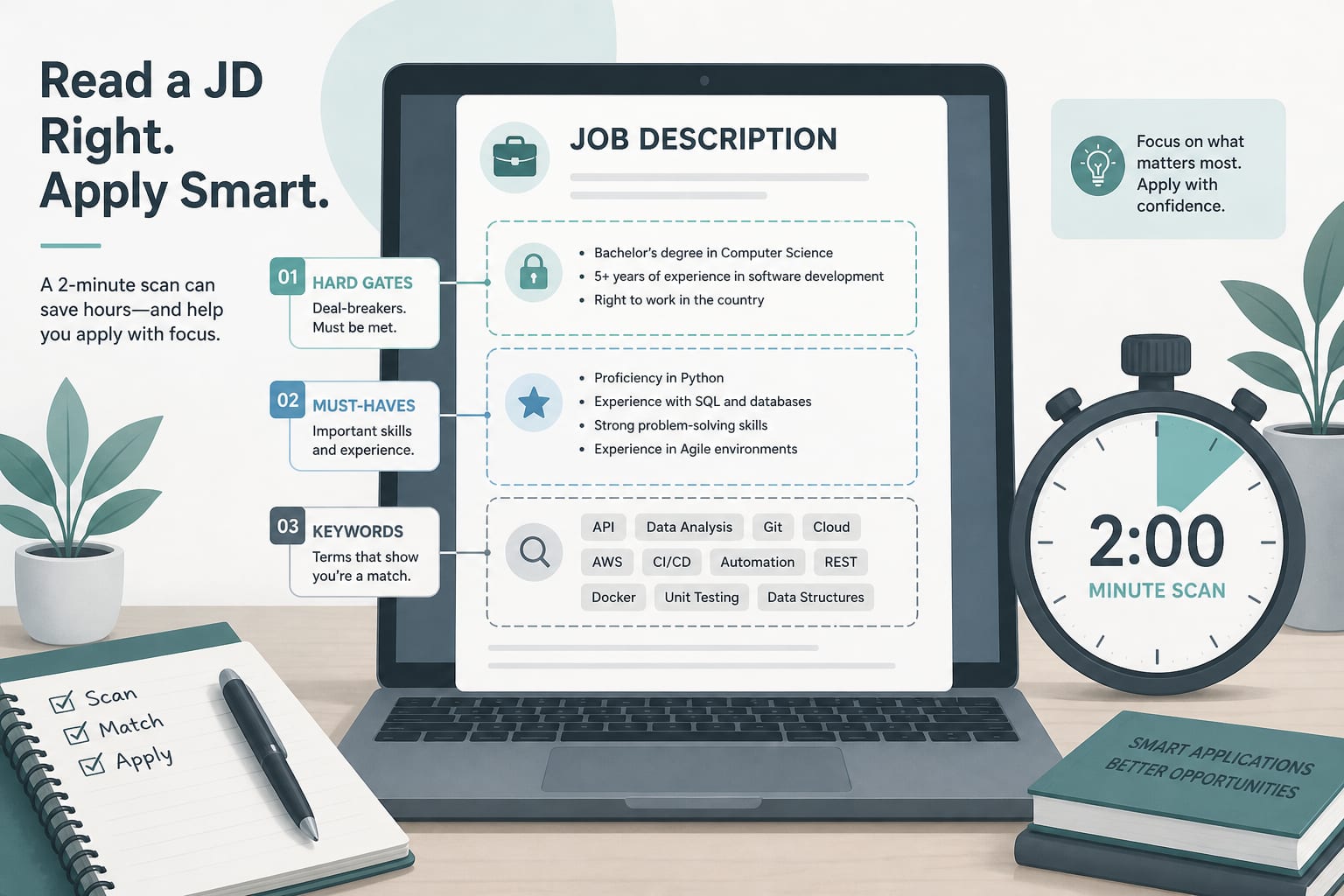
The short answer
- Hard gates first (location, visa, language, timezone, years of experience). If you fail here, skip.
- Must-haves vs nice-to-haves. If you miss most must-haves, skip or save for later. Do not invent experience.
- Keywords you can defend. Mirror language only where your real work supports it (keyword stuffing vs real match).
- Decide: skip, apply as-is (rare), or tailor then apply.
- Only then worry about file format and parse (ATS format checklist).
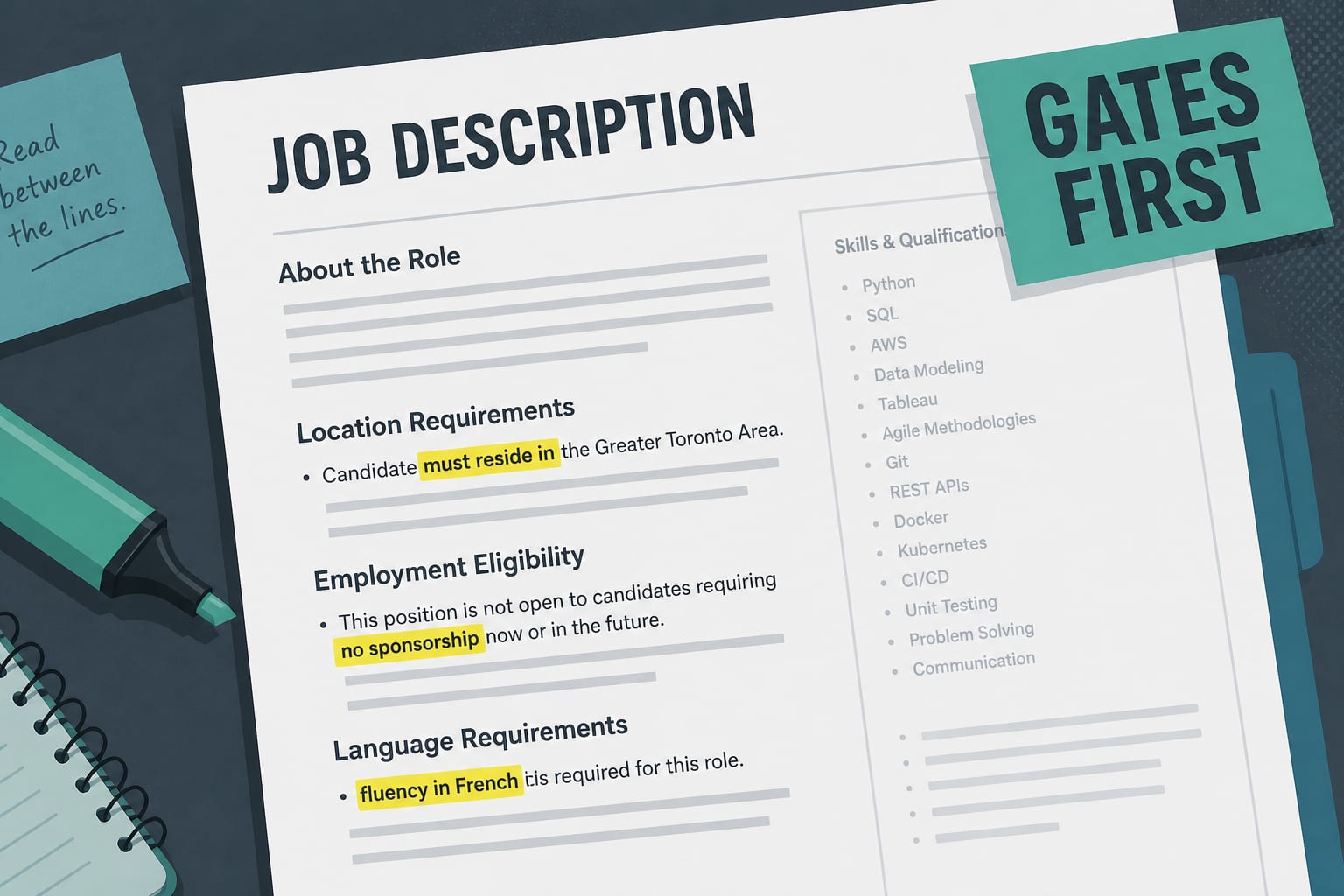
Minute 0:00-0:40: Hard gates (eligibility)
Read the full posting, not only the top. Soft skills and benefits bury the lines that kill applications.
Scan for:
| Gate | Phrases to catch |
|---|---|
| Location / remote | within [country], based in, must reside, hybrid [city], on-site |
| Work authorization | sponsorship, authorized to work, right to work, work permit |
| Language | fluent, native, business-level, [language] required |
| Timezone | overlap with [zone], core hours, US hours required |
| Years of experience | X+ years required, minimum X years |
If any gate fails for you, stop. A strong skills match will not fix it (eligibility check, remote job red flags).
Minute 0:40-1:20: Must-haves vs nice-to-haves
Split requirements into two piles:
Must-haves: tools, domain, seniority, certifications the posting repeats or calls required.
Nice-to-haves: preferred, bonus, "nice to have," long laundry lists after the real bar.
Ask:
- Do I meet most must-haves with evidence on my profile?
- Am I stretching one bullet into a whole requirement?
- Would I defend this in an interview (interview defense)?
If must-haves are a stretch, skip. Volume without fit burns credits and morale (quality vs quantity).
Minute 1:20-1:50: Keywords and evidence
List 5-8 terms the posting cares about (tools, methods, domain words). For each, mark:
- Have it → ready to mirror in a bullet or summary
- Adjacent → can rephrase real work carefully
- Do not have it → leave it out; do not invent
Do not paste the JD into Skills to chase a scanner score. That is stuffing, not match.
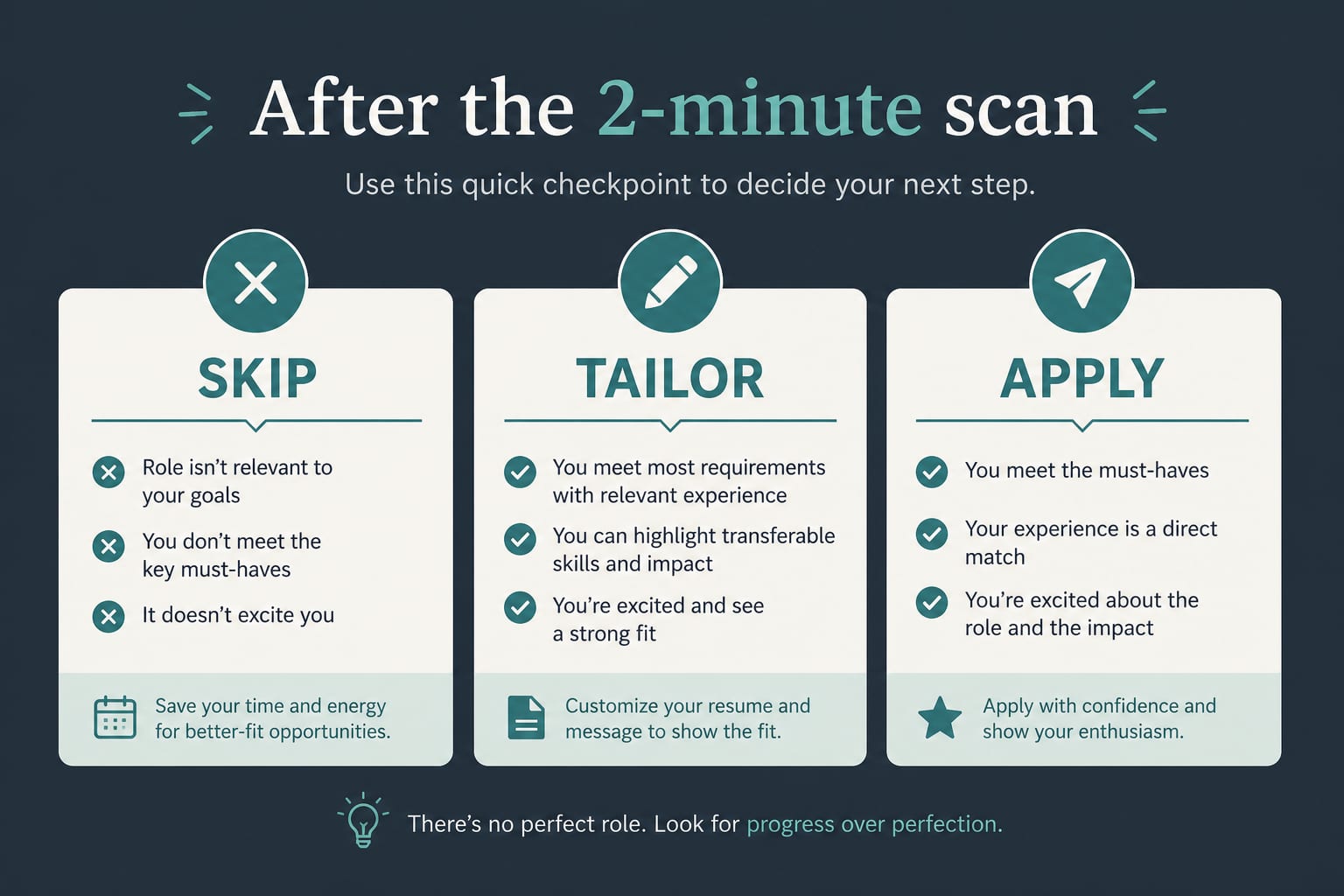
Minute 1:50-2:00: Decide and next action
Pick one:
| Decision | Next step |
|---|---|
| Skip | Log why (gate or must-haves). Move on. |
| Tailor | Capture the JD, check match, generate a package from your real profile, fact-check, export. |
| Apply with light edit | Only if fit is already strong and the file already parses. Still verify eligibility. |
On LinkedIn, tailor before Easy Apply (Easy Apply without spray-and-pray). Prefer the company career page when you can check parsed fields after upload.
A reusable two-minute checklist
Copy this into notes if you want:
- Location / remote / hybrid clear? Pass or fail?
- Visa / work authorization clear? Pass or fail?
- Language / timezone / YOE clear? Pass or fail?
- Top 5 must-haves: how many can I prove?
- Keywords I will mirror (only real ones): _____
- Decision: skip / tailor / apply
- If tailor: capture → match → package → Trust Diff → export
Where CVWiser fits
The Chrome extension captures the posting (LinkedIn best; career pages via generic extraction), then shows match before a generation credit. When eligibility profile fields are filled, advisory warnings for location, work authorization, language, timezone, or years of experience appear above the skills score. They never block generate. They are not legal or immigration advice.
Package generate cannot add employers, titles, dates, education, or new skill names. After generate, use Trust Diff and a fact-check pass. Keep CV and letter aligned (consistency check).
Free plan: 3 application packages a month, no card. Start a fresh package or install the extension. Broader thesis: what CVWiser is really fighting.
Frequently Asked Questions
How do you read a job description quickly?
Hard gates first (location, visa, language, timezone, YOE), then must-haves vs nice-to-haves, then keywords you can defend. Decide skip, tailor, or apply before you rewrite anything.
What should I look for in a job posting before applying?
Anything that can disqualify you regardless of skills, plus the requirements you must prove with real experience. Perks and culture paragraphs come last.
Should I apply if I meet only some of the requirements?
If you miss a hard gate, no. If you miss most must-haves, usually no. If you meet most must-haves and can defend the stretch honestly, tailor carefully. Do not invent the missing years or tools.
How do I know if a job is worth tailoring?
Gates pass, must-haves mostly covered, and you can name specific evidence for the posting's top priorities. If the only path is stuffing keywords you do not own, skip.
The short version
Two minutes spent scanning beats forty minutes tailoring a role you were never eligible for. Gates first. Must-haves second. Defensible keywords third. Decide. Then tailor, parse-check, and apply. After you apply, use a calm follow-up schedule (when to follow up after applying).