CVWiser blog
ATS Resume Format Checklist 2026: The Copy-Paste Test That Actually Matters
Most ATS failures happen at parse time, not keywords. Use this 2026 format checklist and the copy-paste test before you rewrite a single bullet.
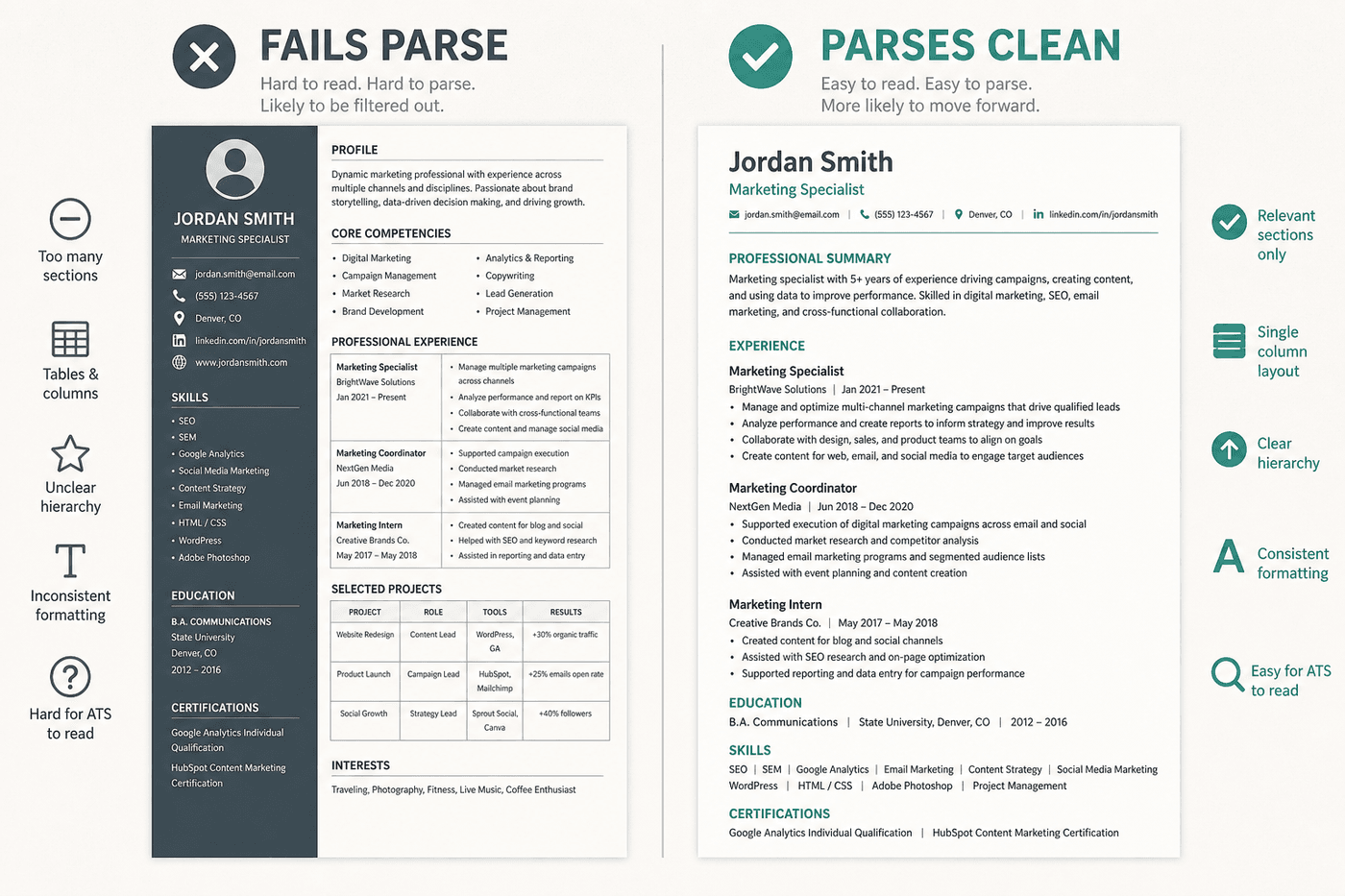
Most people treat “ATS” as a keyword problem. In 2026, a lot of applications still fail earlier: the parser cannot read the file cleanly. Columns scramble job titles into the skills sidebar. Contact info buried in a header disappears. Icons stand in for email and phone. Fancy templates look sharp to humans and messy to Workday, Greenhouse, Lever, Ashby, SmartRecruiters, iCIMS, Taleo, and LinkedIn Easy Apply handoffs. For the Workday-specific symptoms (empty profile, scrambled dates), see Workday resume format 2026. For tech career pages on Greenhouse, see Greenhouse resume format 2026. For startup boards on Lever, see Lever resume format 2026. For modern startup pages on Ashby, see Ashby resume format 2026. For global SmartRecruiters career sites, see SmartRecruiters resume format 2026. For enterprise iCIMS boards, see iCIMS resume format 2026. For Oracle Taleo career sites, see Taleo resume format 2026.
Before you tailor bullets to a job description or chase a match score, fix the container. This checklist is the format pass. Keywords and honesty come after.
What an ATS needs first: readable structure
An applicant tracking system stores and searches applications. It is not a mysterious auto-reject bot for pretty layouts, but it does parse text into fields. If the parse is wrong, recruiters searching by title, employer, or skill may never surface you. That distinction is covered in our buyer’s guide to ATS resume tools. Format is the gate before any scorer.
The 2026 ATS format checklist
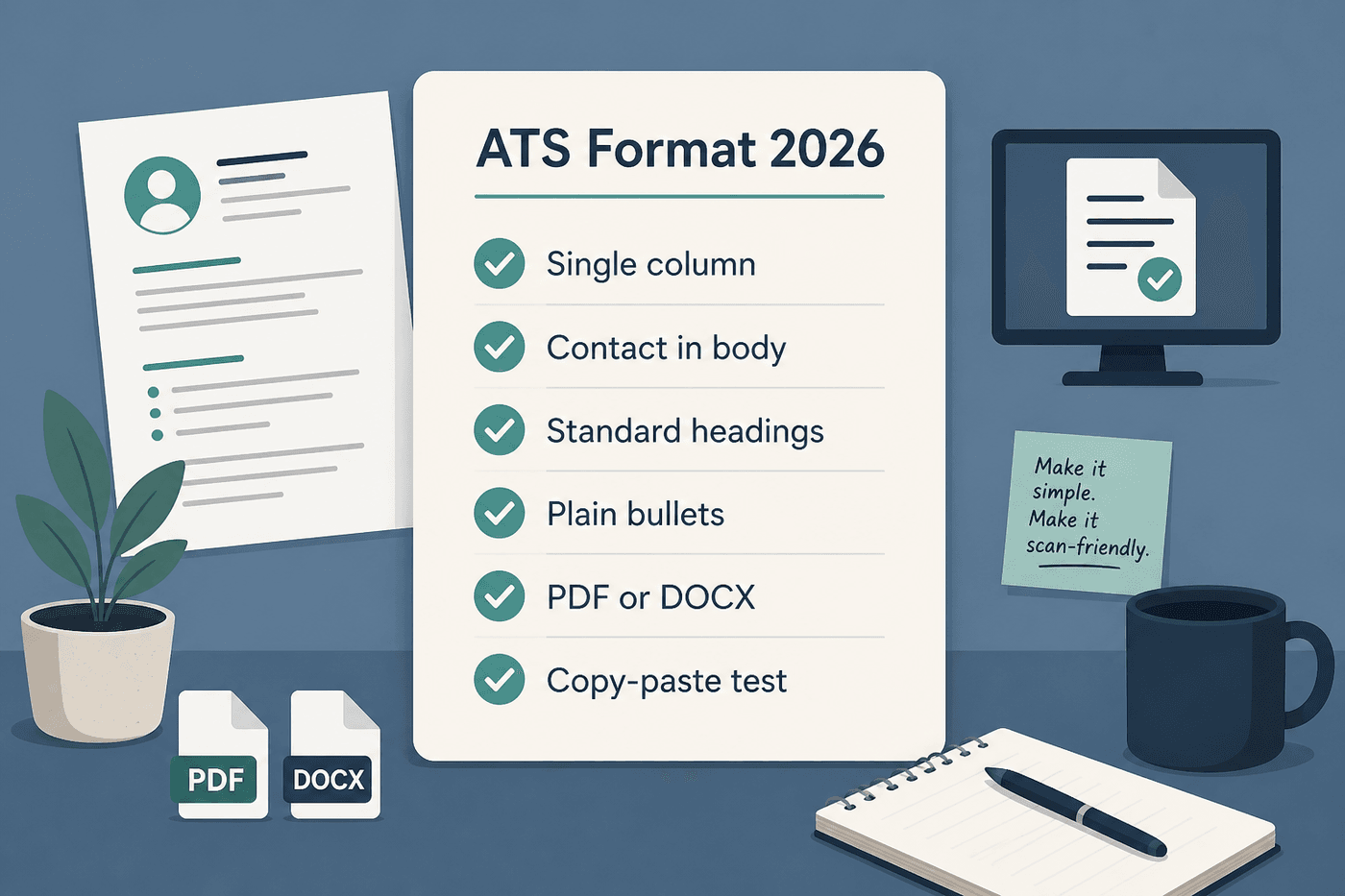
Work through these before your next apply:
Layout
- Single column. No sidebars, no two-column “skills | experience” designs. Deep dive: two-column resume ATS mistakes.
- No tables for work history, no text boxes, no skill bars or graphics as content.
- Standard section headings: Summary, Experience (or Work Experience), Education, Skills. Skip “My Journey” or “Tech Arsenal.”
Contact
- Name, email, phone, city/region, LinkedIn (and portfolio if relevant) as plain text in the body, near the top.
- Not only in the header/footer, and not as icons without text.
Typography and bullets
- One common font (Arial, Calibri, Helvetica, Georgia, Times New Roman) at roughly 10–12pt body.
- Simple bullets. Avoid decorative symbols that turn into garbage in plain text.
- Reverse-chronological experience. Dates on the same line as title/employer, consistent format (e.g. Mon YYYY – Mon YYYY).
File
- Prefer text-based PDF or DOCX when the posting allows either. For the full decision guide, see PDF vs DOCX for ATS.
- Use DOCX if the form specifically asks for Word.
- Never submit a scanned image, Pages file, or Canva export that is not real selectable text. Full guide: Canva resume and ATS.
- Name the file clearly:
FirstName-LastName-Role.pdf.
Keywords (only after parse is clean)
- Mirror terms you actually have from the posting, in context, not a stuffed wall.
- Use both acronym and full form where it helps (e.g. Customer Relationship Management (CRM)).
- Do not invent skills to raise a score. Fact-check that pass separately (how to fact-check an AI-tailored resume).
The copy-paste test (two minutes)
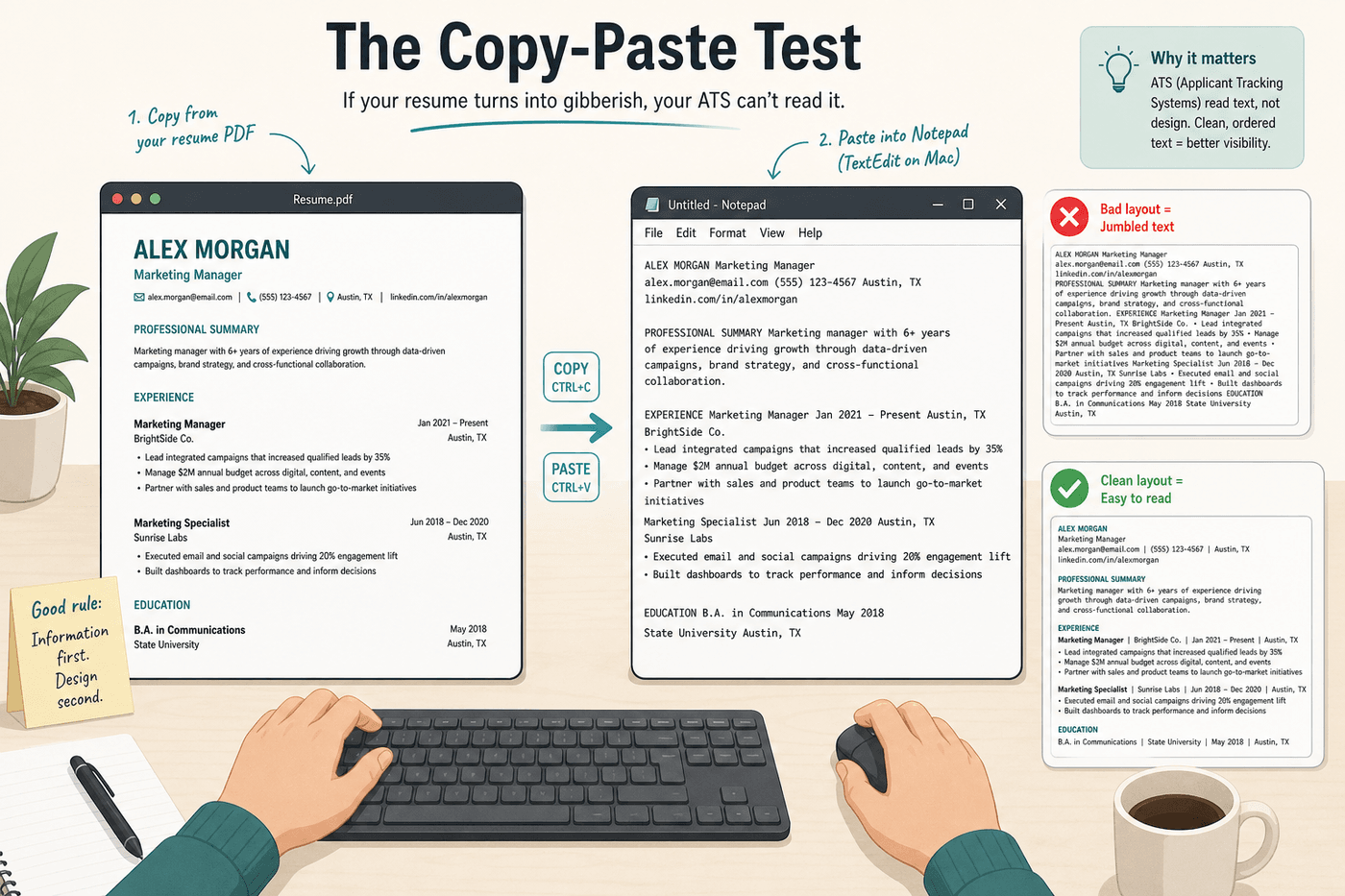
- Open your resume PDF or DOCX.
- Select all → copy.
- Paste into a plain text editor (Notepad, TextEdit, or a blank
.txtfile).
Pass: Name, contact, titles, dates, employers, and bullets appear in a sensible order with nothing missing.
Fail: Sidebars jump into the middle of jobs, dates float alone, contact is gone, or text is jumbled. Fix format before you rewrite another bullet or run another AI tailor.
This is roughly what many parsers “see.” It is the cheapest diagnostic you have.
LinkedIn Easy Apply and company portals
Easy Apply and board redirects often hand your file to another ATS. Parsing bugs show up there as empty fields or scrambled history. Prefer the company career site when you can upload a clean tailored package, then track what you sent. Capture → match → package is the workflow in our Chrome extension guide. For the Easy Apply-specific trap (last week’s generic PDF, fifty clicks), see LinkedIn Easy Apply without spray-and-pray. For whether Easy Apply actually reaches Workday, Greenhouse, or stays in LinkedIn, see Does Easy Apply go to an ATS?. Format still has to pass the copy-paste test either way.
After format: tailor without lying
Once the file parses, optimize content:
- Align language to the posting with evidence you already have (tailor without lying). Do not dump JD keywords into Skills to chase a scanner score (keyword stuffing vs real match).
- Review what AI changed (trust diff) and run an interview test on metrics (fact-check guide).
- Keep CV and cover letter aligned (consistency check).
- Apply to fewer, better fits (quality vs quantity).
Format gets you into the database. Honesty and fit get you the interview.
Frequently Asked Questions
What is an ATS-friendly resume format?
A single-column layout with contact details in the body (not a header graphic), standard section headings, selectable text, and dates that sit next to the job they describe. If copy-paste into Notepad keeps name, employers, titles, and bullets in order, you are in good shape.
How do I know if my resume will pass ATS?
Run the copy-paste test: select all in your PDF or DOCX, paste into plain text, and check that nothing is missing or scrambled. Then upload to a test application or open the employer's parsed profile after upload. Format passes before you chase keyword scores.
Should I use two columns on my resume for ATS?
Usually no. Many parsers read left to right across the full page width, so sidebars can splice contact info into job history or drop entire sections. One column is the safer default for online applications.
Do ATS systems read PDF or Word better?
Neither wins every time. Use what the form asks for, keep text selectable, and verify parsed fields after upload. See the full PDF vs DOCX guide for when each format makes sense.
Can a pretty Canva resume still pass ATS?
Only if it passes the copy-paste test. Graphic templates with text boxes, icons, and multi-column blocks often look great and parse badly. If Canva is your design tool, rebuild the same honest content in a plain export before you apply (Canva and ATS).
Where CVWiser fits
CVWiser exports structured, text-based CV packages meant for humans and parsers, with ATS match against the job you captured. Package generate stays locked to your master profile (no invented employers, titles, dates, education, or new skill names), then Trust Diff and consistency help you review before export. Free plan: 3 application packages a month, no card required. Start a fresh package, or compare tool categories in best ATS resume tools, CVWiser vs Rezi, Jobscan vs CVWiser, and Huntr vs CVWiser.
The short version
In 2026, fix parse before keywords. Single column, contact in the body, standard headings, selectable PDF or DOCX (PDF vs DOCX guide), then the copy-paste test. Put LinkedIn as plain text if you include it, not icon-only. Decide one page vs two pages after the content is honest and readable. Only after that should you tailor, score, or generate. A pretty template that fails paste is not ATS-friendly, no matter how high a keyword tool scores it.