CVWiser blog
iCIMS Resume Format 2026: What Parses on Enterprise Career Pages
iCIMS jobs often attach your PDF and still scramble title, company, or dates. Fix parse first: single column, mapped fields, then tailor. Not an iCIMS simulator.
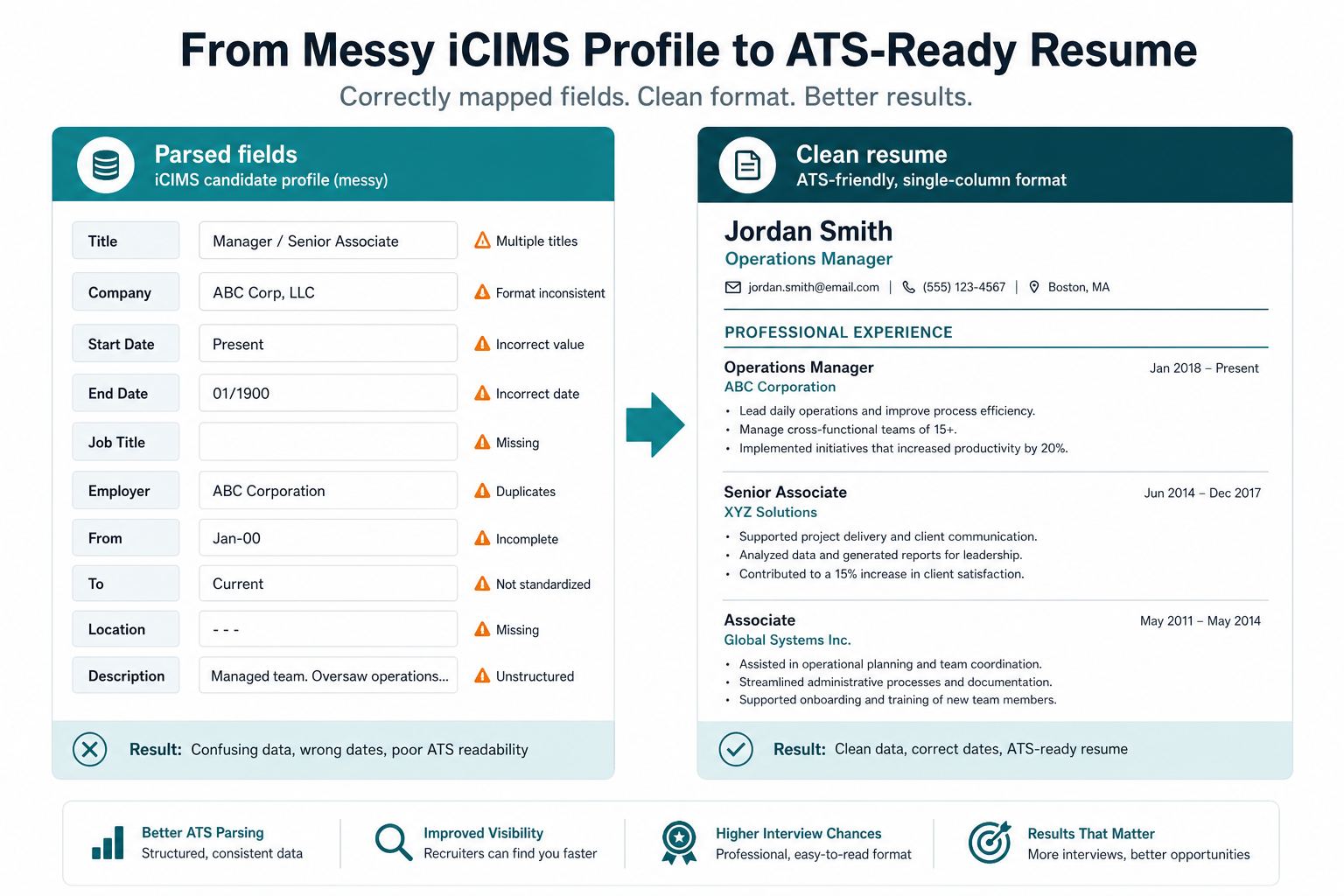
You applied on an iCIMS-powered career site (common at large employers, staffing, and healthcare). The confirmation looks fine. Then the candidate profile shows a PDF you recognize and parsed fields that do not: blank employer, dates on the wrong role, a sidebar skill sitting in the job title. That is usually a parse problem, not a “you needed more keywords” problem.
iCIMS sits in the same enterprise lane as Workday and older Oracle Taleo boards: long forms, uploaded resume, structured fields recruiters search. Tech boards often use Greenhouse, Lever, or Ashby instead. The general ATS resume format checklist still applies. This post is the iCIMS-specific version: symptoms, file choices, and what to check after upload. For Taleo career sites, see Taleo resume format 2026.
What iCIMS is (and is not) doing
iCIMS stores applications and gives recruiting teams search, pipelines, and compliance workflows. It is not a secret auto-reject bot that trashes pretty PDFs for sport. It also is not the same as a keyword Match Rate on a third-party scanner (Jobscan vs CVWiser). A high score in another tool does not mean iCIMS filled Title and Company correctly.
If parse is wrong, a recruiter searching your last employer or a required title may never surface you, even though the PDF is attached. That distinction is in our ATS tools buyer’s guide.
The symptoms that mean format, not fit
Fix the file before you rewrite bullets if you see:
- Contact, jobs, or education blank or partial after upload, while the PDF looks fine on your laptop
- Jobs in the wrong order, or one role eating the next
- Dates attached to the wrong employer
- Skills or a sidebar injected into a job title
- You applied via LinkedIn Easy Apply and the iCIMS (or Taleo) profile looks nothing like the resume you thought you sent (Easy Apply without spray-and-pray, Does Easy Apply go to an ATS?)
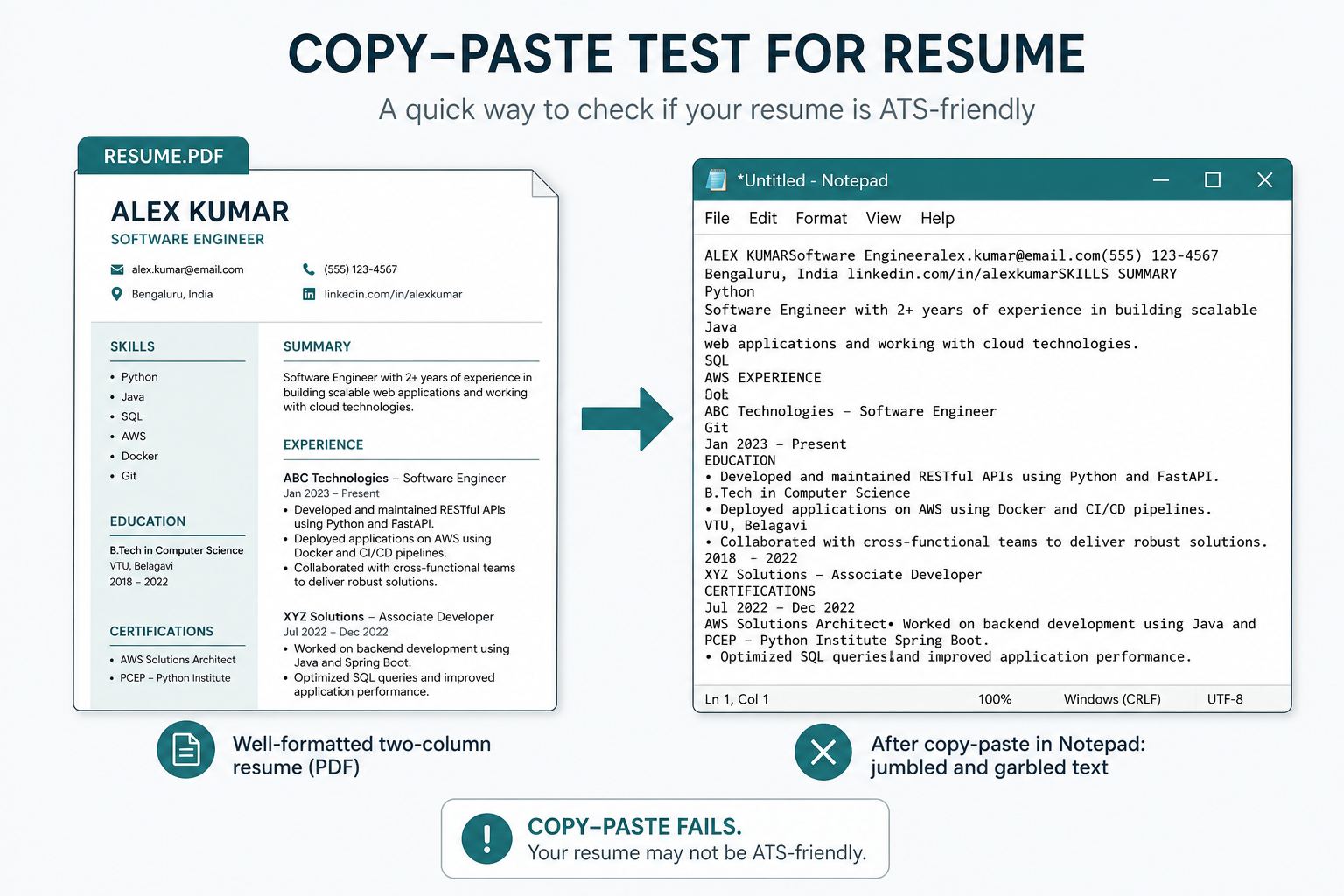
Run the two-minute copy-paste test from the format checklist: select all in the PDF/DOCX, paste into Notepad. If that paste is jumbled, iCIMS will be too.
iCIMS-friendly format (the short list)
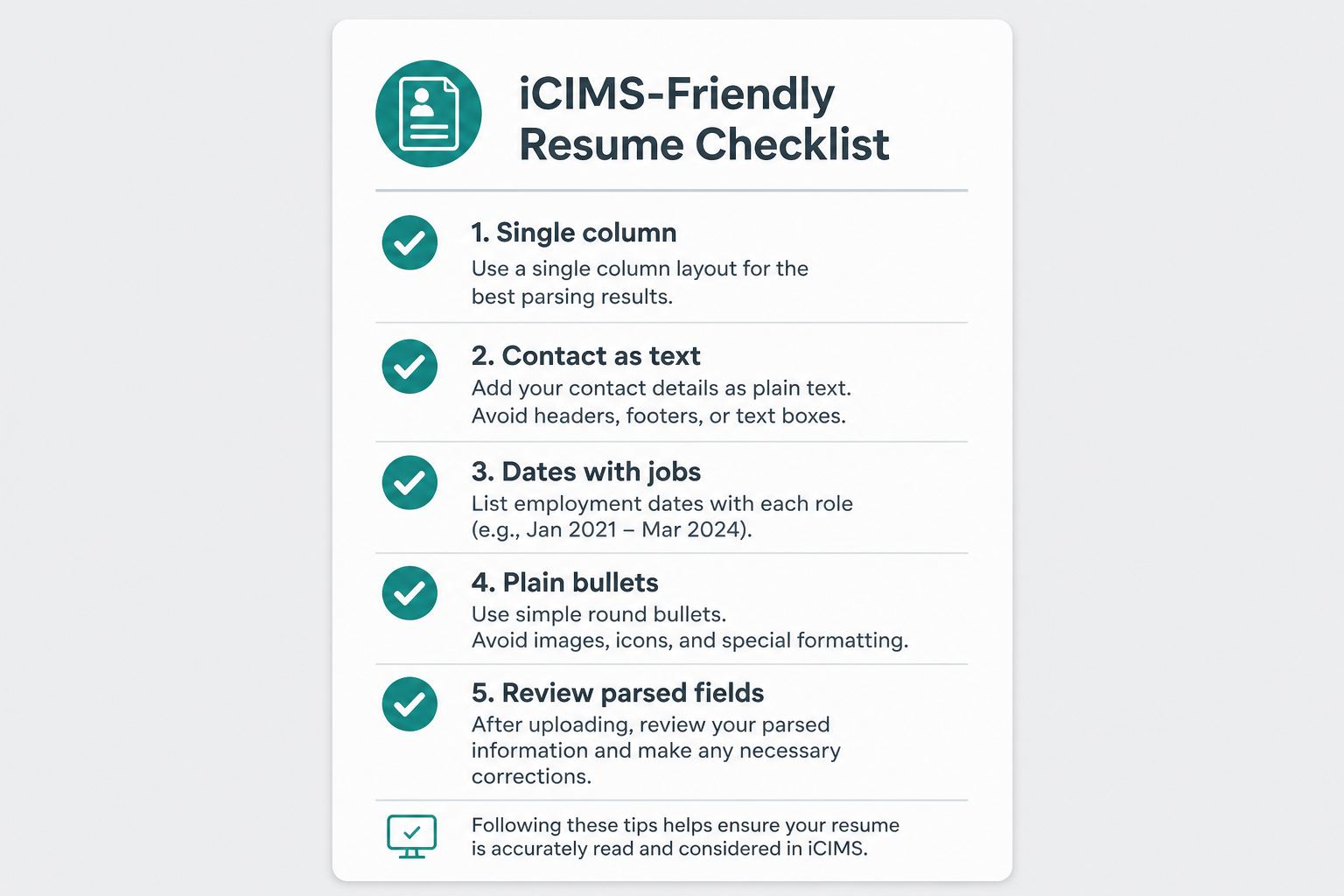
Do not invent a special “iCIMS template.” Use a boring, mappable document:
- Single column. No skills sidebar, no two-column experience.
- Standard headings: Summary, Experience, Education, Skills.
- Contact in the body as text (email, phone, city), not icons in a header-only block.
- Dates on the same line as title/employer, same pattern throughout (
Mon YYYY – Mon YYYYorYYYY – YYYY). - Plain bullets. No skill bars, tables for work history, or text in images.
- File: follow the posting. Many iCIMS forms accept PDF or DOCX. If it asks for Word, send DOCX. Never a scan or a non-selectable Canva export.
- Filename:
FirstName-LastName-Role.pdf(or.docx).
After upload, read the parsed fields on the application, not only the attached PDF. Correct anything it got wrong in the form. Enterprise ATS boards often keep the file and the structured profile. Recruiters search the structured side.
Enterprise portals also love extra questionnaire fields. Fill them honestly. Do not paste a keyword cloud into every open text box to chase a score (keyword stuffing vs real match).
If the form has a separate cover letter field, upload the letter from the same package. A generic letter plus a tailored CV is how document drift starts.
Easy Apply, career sites, and autofill
LinkedIn Easy Apply can hand your file to iCIMS (or Taleo, Workday, and others). A pretty two-column resume that “worked” as a LinkedIn upload can still scramble on the employer board. Prefer the company career page when you can upload a clean package and check the parsed fields.
CVWiser does not autofill iCIMS or Taleo forms and does not simulate their parsers. The Chrome extension captures the posting (LinkedIn best; career pages via generic extraction), shows match before a generation credit, then you export and upload yourself. If your pain is retyping the same board fields fifty times, that is autofill territory (Huntr vs CVWiser). Pair it with an honest file; don’t skip the parse check.
After it parses: tailor without stuffing
Once Title, Company, and dates look right in iCIMS, then tailor language you can defend. Do not paste JD keywords into jobs you never held. Fact-check metrics and AI edits (fact-check guide, Trust Diff), then rehearse with interview defense. If someone asks whether recruiters “detect AI,” the real risk is undefended claims (can recruiters tell you used AI?).
Where CVWiser fits
CVWiser exports structured, text-based packages (not graphic puzzles). Package generate cannot add employers, titles, dates, education, or new skill names. Match against a captured job is directional. It is not a claim that we certified your file against iCIMS or Taleo. You still review the application after upload.
Free plan: 3 application packages a month, no card. Start a fresh package or install the extension. Broader thesis: what CVWiser is really fighting.
The short version
iCIMS (and similar Taleo boards) map your file into searchable fields. Pretty layouts that fail the copy-paste test fail there too. Fix parse first, correct fields after upload, then tailor without stuffing. Format still matters when the blue button routes you into an enterprise ATS.