CVWiser blog
PDF vs DOCX for ATS: Which Resume File Type Should You Upload?
Neither PDF nor DOCX is universally safer. Follow the posting, use selectable text, run the copy-paste test, then verify parsed fields. Scanned PDFs and Canva exports fail either way.
You finished a tailored resume and the upload field accepts both. Forums say “always PDF.” Older advice says “always Word.” Both can work. Both can fail. The file type is not the magic switch. Selectable text + a layout that maps to fields is.
This post is the longer answer to the one-line tip in our ATS resume format checklist. It covers when to prefer PDF, when to send DOCX, what “bad PDF” actually means, and what to check after upload on Workday, Greenhouse, Lever, Ashby, iCIMS, and Taleo.
The short answer
- Follow the posting. If it says Word / DOCX only, send DOCX. If it says PDF only, send a text-based PDF.
- If either is allowed, a clean single-column PDF or DOCX that passes the copy-paste test is fine. Prefer the type the form lists first when you are unsure.
- Never send a scanned image PDF, a password-locked file, Pages, or a Canva/InDesign export where you cannot select text. See Canva resume and ATS for the full breakdown.
File type does not replace format. A two-column DOCX can scramble the same way a fancy PDF does (two-column resume ATS mistakes).
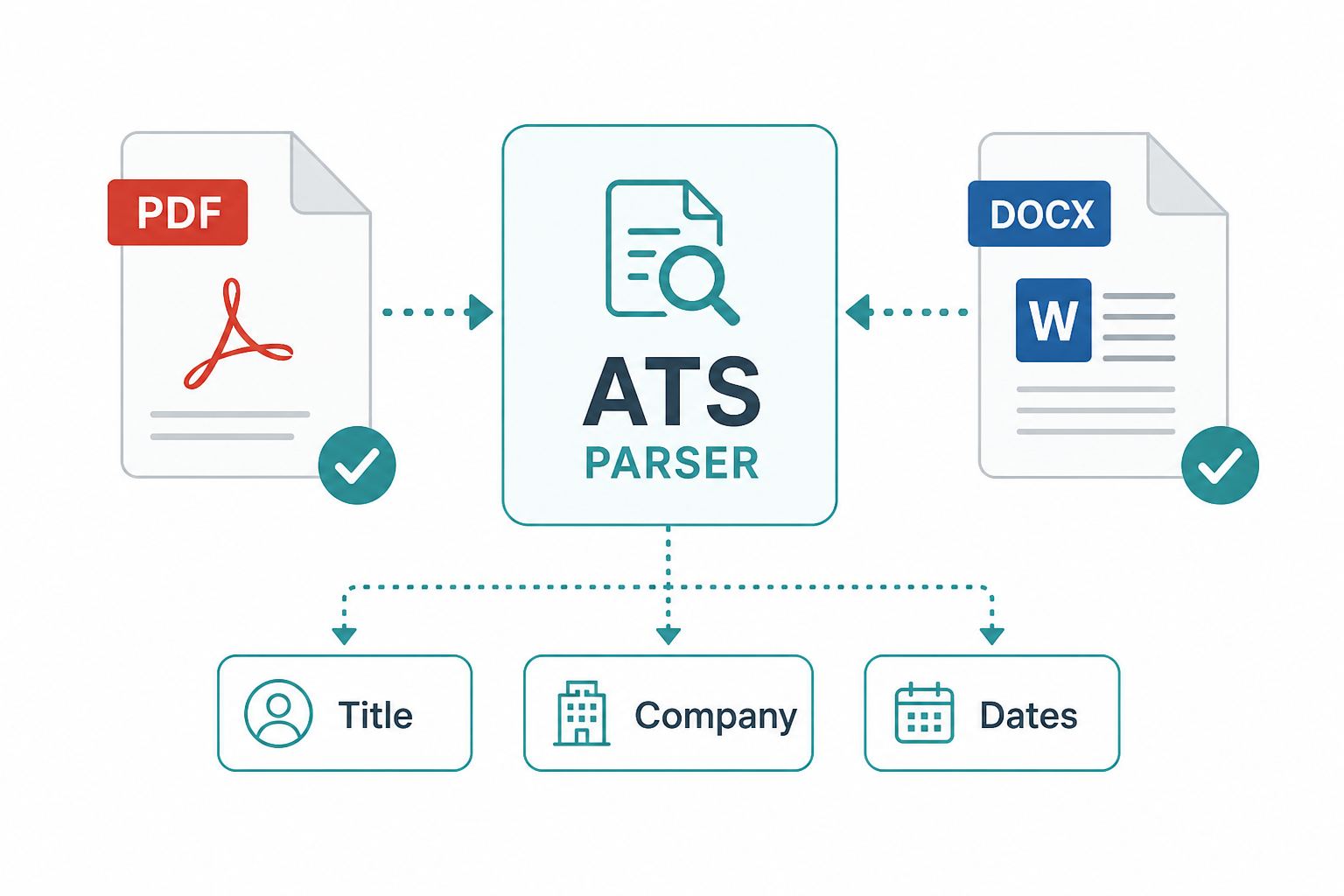
What “parse” cares about (not the icon)
Workday, Greenhouse, Lever, Ashby, iCIMS, Taleo, and LinkedIn handoffs try to pull employer, title, dates, education, contact into searchable fields. Recruiters often search those fields, not only the attached file (ATS tools buyer’s guide).
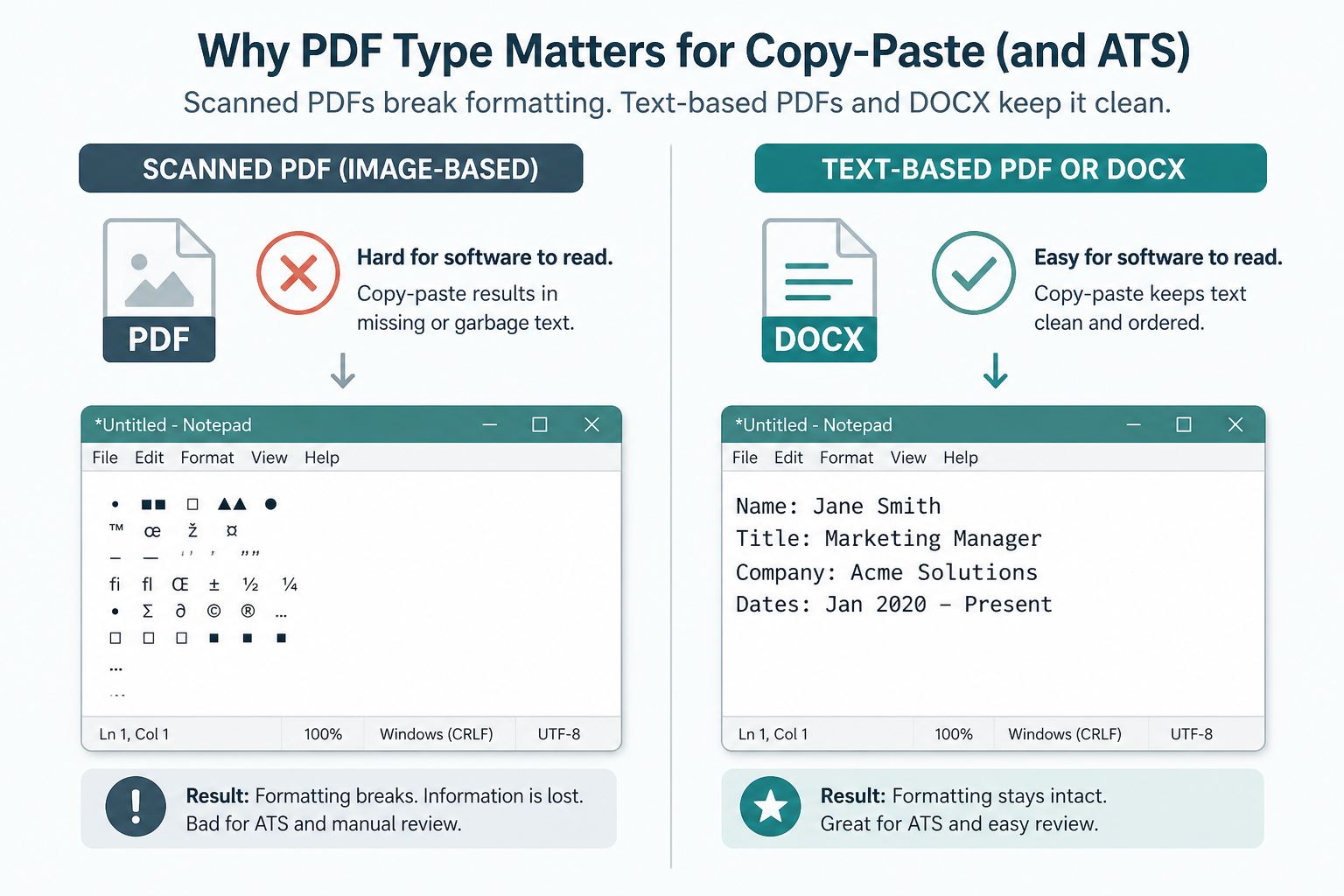
A high Match Rate in a third-party scanner does not mean those fields filled correctly (keyword stuffing vs real match). The cheap check is still the copy-paste test: select all in the file, paste into Notepad. If that paste is jumbled, the ATS will be too.
When PDF is the better default
Choose a text-based PDF when:
- The posting asks for PDF, or lists PDF first
- You want layout lock so fonts and spacing stay stable for humans who open the attachment
- You are uploading via Easy Apply or a board that stores the PDF as the “official” resume view
Watch-outs:
- Scanned or image-only PDFs look perfect and parse as near-empty. If you cannot highlight words with the cursor, do not upload it.
- Heavy design PDFs (columns, text boxes, icons for email) break parse even when text is selectable. Fix layout first.
When DOCX is the better default
Choose DOCX when:
- The form says Word, Microsoft Word, or
.doc/.docx - An older portal still expects editable Word for internal routing
- A posting rejects PDF and only accepts Word
Watch-outs:
- DOCX is easier for someone else to edit. That is a feature for HR workflows and a risk if you care about exact layout.
- Fancy Word templates with text boxes and tables fail parse the same way fancy PDFs do. Use a boring single column.
Decision table
| What the posting says | What to upload |
|---|---|
| PDF only | Text-based PDF that passes copy-paste |
| Word / DOCX only | DOCX that passes copy-paste |
| PDF or Word / either | Either clean file; match the order listed if unsure |
| No guidance | Prefer selectable PDF or DOCX after the format checklist; verify fields after upload |
| “Upload resume” on Easy Apply | The tailored export for this job, not last month’s default (Easy Apply ATS handoff) |
After upload: verify, then tailor
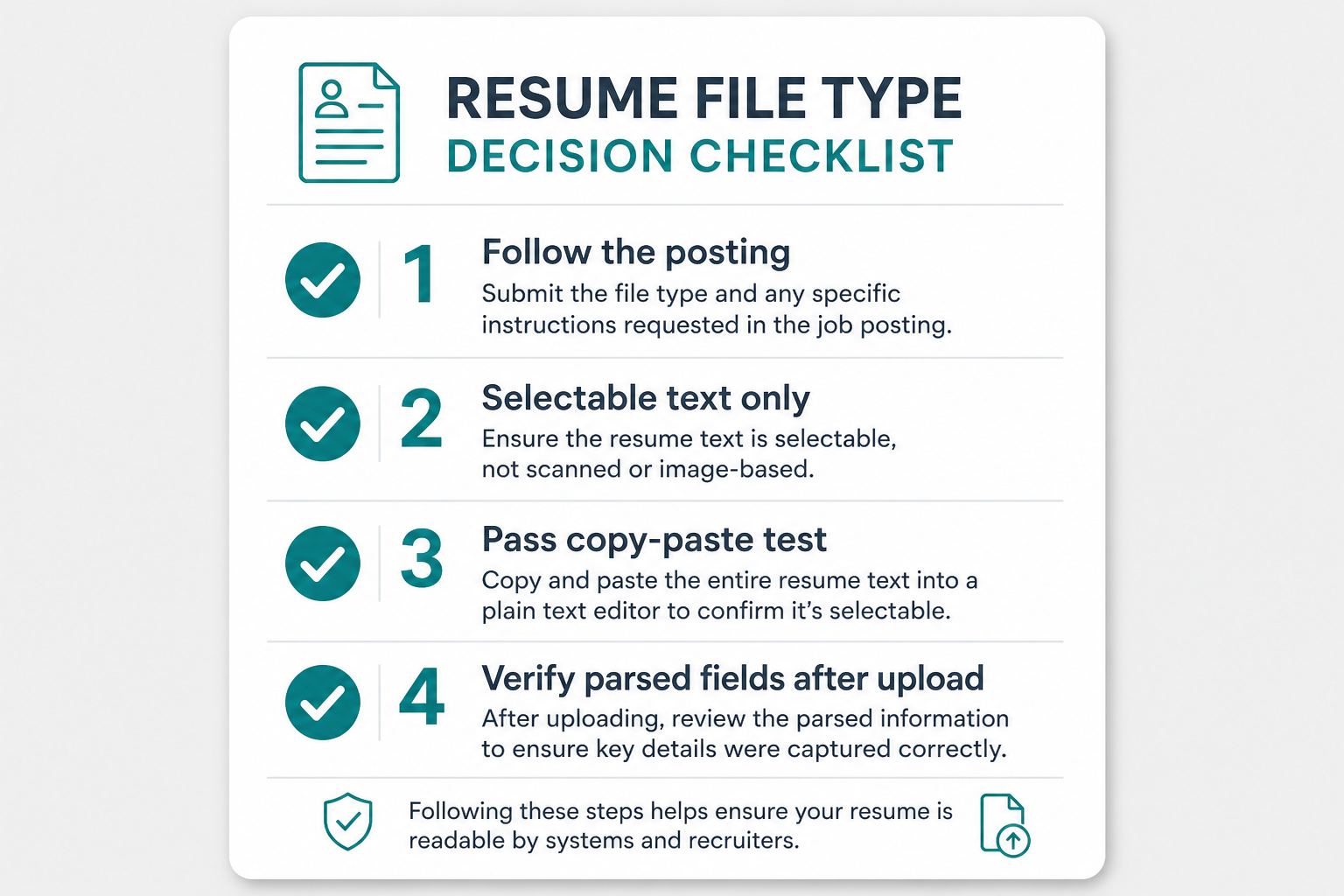
- Open the application or candidate profile.
- Read parsed Title, Company, dates, contact. Fix what the form got wrong.
- Only then worry about wording and fit (tailor without lying).
- Fact-check AI edits and metrics (fact-check, Trust Diff). Rehearse lines you cannot explain (interview defense). Recruiters catch undefended claims more than “PDF vs Word” (can recruiters tell you used AI?).
Frequently Asked Questions
Should I submit my resume as PDF or Word for ATS?
Follow the upload button. If the form accepts both, prefer whichever you can verify after upload: open the parsed profile and confirm title, employer, and dates mapped correctly. A clean DOCX often beats a pretty scanned PDF; a selectable PDF often beats a Word file full of text boxes.
Do ATS systems prefer PDF or DOCX?
There is no universal winner. Parsers care more about selectable text and reading order than the extension on the file. Pass the copy-paste test first, then confirm fields on the employer site.
When should I use PDF vs DOCX for job applications?
Use PDF when the posting or form says PDF only, or when you need layout locked after export. Use DOCX when the form says Word, when recruiters ask for an editable file, or when a PDF upload returns empty parsed fields. Always re-check parsed data either way.
Can ATS read PDF resumes?
Yes, when the PDF contains real text, not a flat image export. Image-only PDFs from design tools often return blank or jumbled profiles. If paste into Notepad is a mess, the ATS will struggle too.
Where CVWiser fits
CVWiser exports structured, text-based packages as PDF or DOCX, not graphic puzzles. Package generate cannot add employers, titles, dates, education, or new skill names. Match from the Chrome extension is directional for the posting you captured. It is not a claim that we certified your file against every employer parser. You still pick the type the form wants and review parsed fields after upload.
Free plan: 3 application packages a month, no card. Start a fresh package or install the extension. Broader thesis: what CVWiser is really fighting. Compare scanner vs package approaches in Jobscan vs CVWiser.
The short version
There is no universal “PDF always” or “DOCX always.” Follow the posting, use selectable text in a single-column layout, pass the copy-paste test, then verify mapped fields. A pretty scanned PDF loses to a boring DOCX every time. A clean PDF beats a Word template full of text boxes. File type is a choice. Parse is the gate.