CVWiser blog
Canva Resume and ATS: Why Pretty Templates Fail the Copy-Paste Test
Canva resumes look sharp to humans and often fail ATS parsers. Text in shapes, columns, and icon-only contact blocks break the copy-paste test. Here is what to fix before you upload.
You designed a resume in Canva. It looks polished on screen. You export PDF, upload to a job board, and assume you are done. Then the employer ATS shows blank employers, scrambled dates, or a skills sidebar sitting in your job title. The template was not rejected for being ugly. It was rejected for being unreadable.
Canva is excellent for social graphics and slide decks. For job applications, the risk is not the brand name. The risk is layout that parsers cannot map: text trapped in shapes, two-column designs (two-column resume ATS mistakes), icons instead of email, and exports that look like text but paste as garbage.
This post is the Canva-specific version of the ATS format checklist and the PDF vs DOCX guide. Fix parse first. Then tailor and match (how to tailor without lying).
The short answer
- Canva can work only if the final file passes the copy-paste test: selectable text in reading order, single column, contact as plain text.
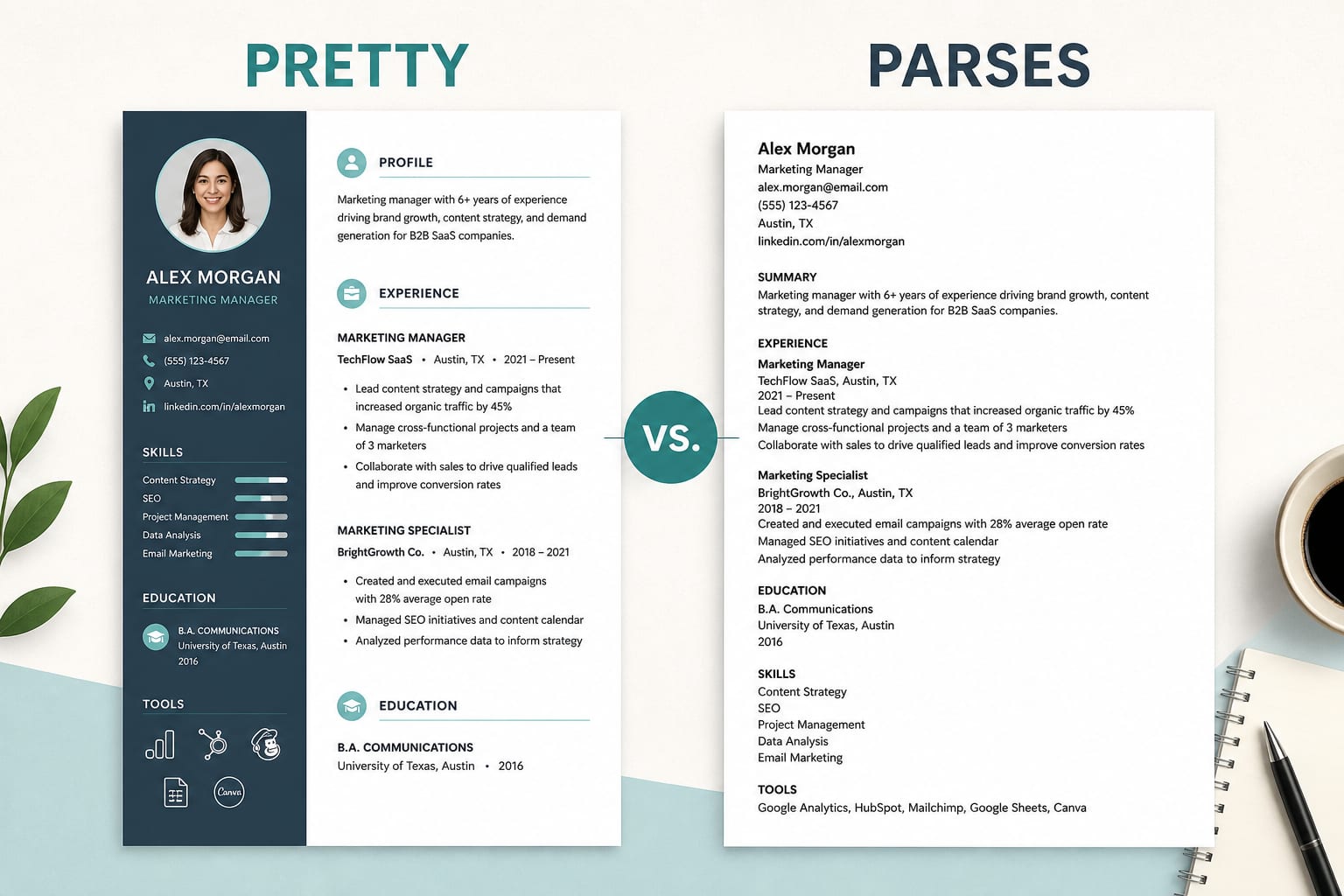
- Most Canva resume templates fail because they prioritize design over structure: sidebars, skill bars, tables, and icon blocks.
- Export matters. A PDF that is really a flattened image, or text scattered across text boxes, will fail on Workday, Greenhouse, Lever, Ashby, iCIMS, and Taleo the same way a bad Word template would.
- When in doubt, rebuild the content in a boring single-column DOCX or text-based PDF, then keep the Canva version for networking or portfolio use only.
Why Canva resumes break in ATS
Applicant tracking systems try to pull employer, title, dates, education, contact into searchable fields. Recruiters filter on those fields, not only the attached PDF (ATS tools buyer's guide).
Canva templates often break that map because:
Two columns and sidebars. Skills live in a colored rail. Experience runs in the main column. Parsers read left-to-right, top-to-bottom. Your "Senior Analyst" title can end up merged with "Python, SQL, Tableau."
Text inside shapes and text boxes. Each box is a separate island. Paste into Notepad and the job history arrives out of order or with huge gaps.
Icons for contact info. A mail icon with no visible you@email.com string means no email in the parsed profile. Same for phone and LinkedIn.
Decorative elements read as content. Skill bars, star ratings, and progress meters become nonsense tokens in plain text.
Image-heavy exports. Some downloads are effectively pictures of a resume. They look fine. Highlighting a word with your cursor fails. That is a scan, not a resume file.
A high Match Rate in a third-party scanner does not fix any of this (keyword stuffing vs real match). Pretty and parseable are different jobs.
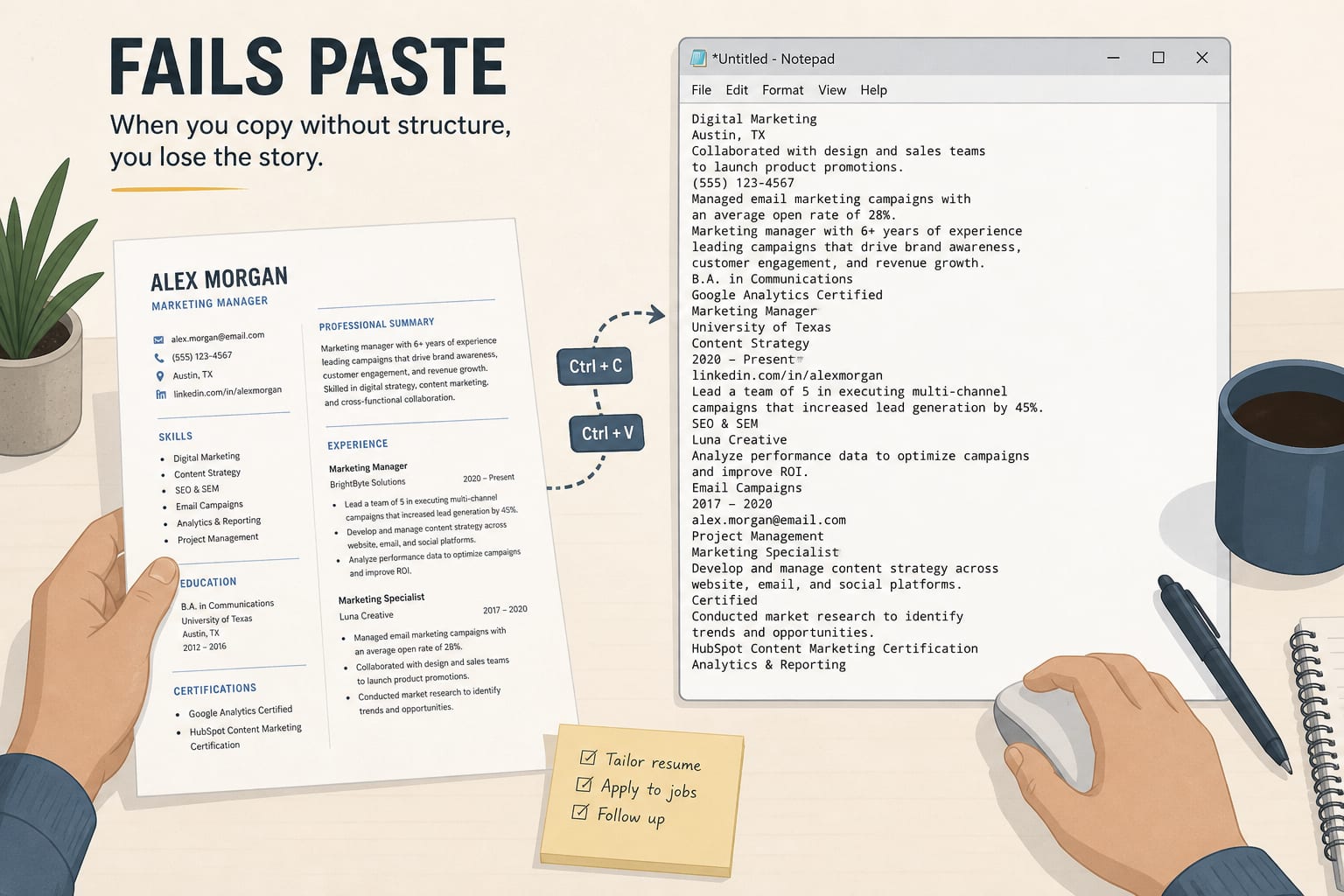
The copy-paste test (do this before every upload)
- Open your exported PDF or DOCX from Canva.
- Select all text. Copy.
- Paste into Notepad (or any plain editor).
Pass looks like: name and contact at the top, then Summary, Experience with titles and dates in order, Education, Skills. Readable sentences. No random symbols.
Fail looks like: columns interleaved, missing email, dates detached from employers, skill cloud injected into a job title, or almost nothing at all.
If it fails, do not upload that file to an ATS form. Fix layout or rebuild in a plain template. The format checklist is the target structure.
Canva-friendly rules (if you insist on designing there)
You do not need a special "Canva ATS template" from a guru. You need a boring structure:
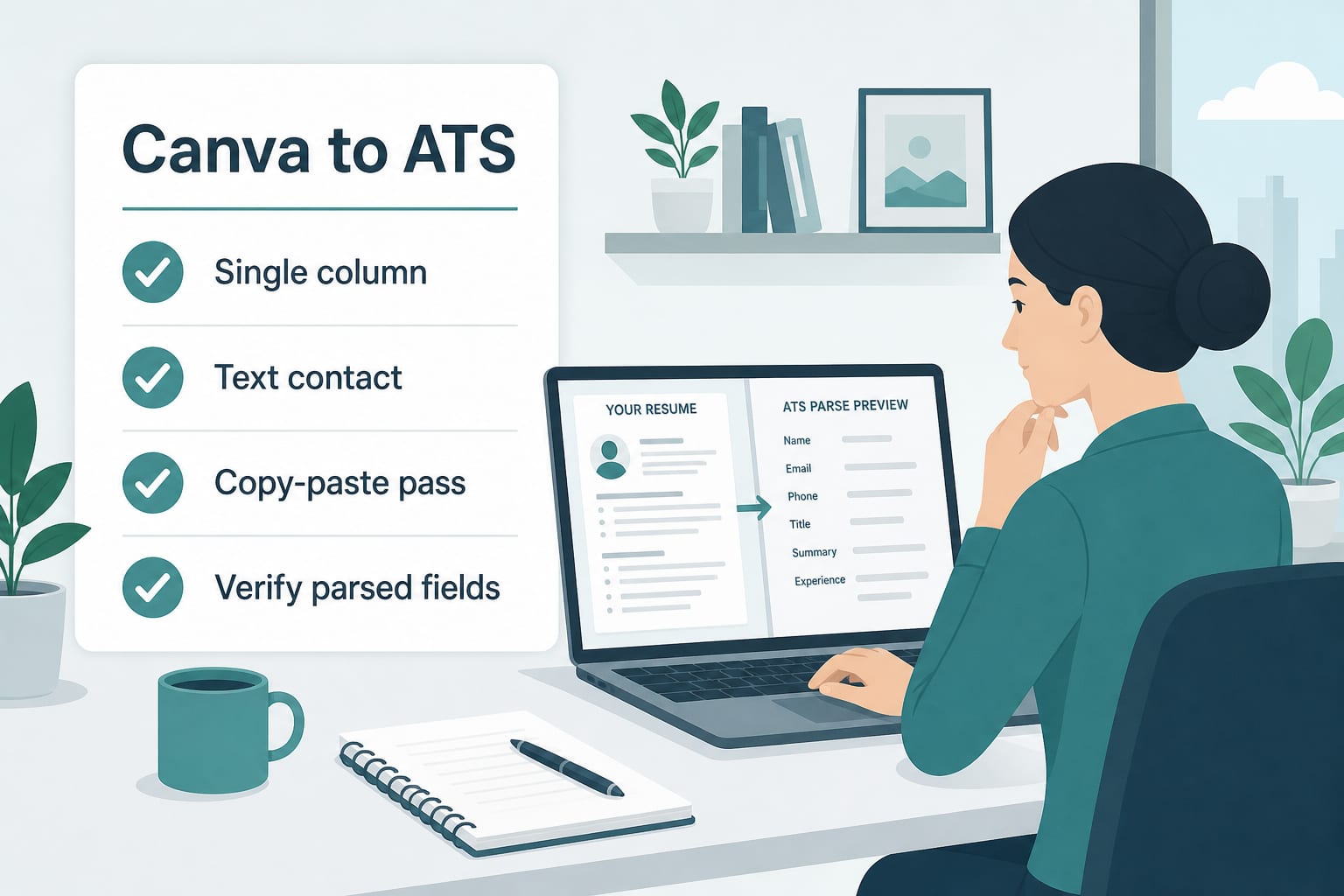
- Single column for the whole document. Move skills under Experience or into a simple list at the end, not a sidebar.
- Plain text contact in the body:
Name,email@domain.com,+32 ...,City, Country,linkedin.com/in/you. - Standard headings: Summary, Experience, Education, Skills.
- Dates on the same line as title and employer (
Mon YYYY – Mon YYYY). - No tables for work history. No skill bars. No icons-only contact row.
- Export as PDF with real text (test highlight + copy-paste). If the posting asks for Word, recreate in DOCX instead (PDF vs DOCX).
- Filename:
FirstName-LastName-Role.pdf.
After upload on the employer site, open the parsed profile and correct anything the form got wrong. Easy Apply handoffs can scramble pretty files too (LinkedIn Easy Apply ATS).
What to do instead
Use Canva for the human version, not the ATS version. Portfolio PDF, networking one-pager, conference handout. Fine.
Use a plain editor for applications. Google Docs, Word, LibreOffice, or CVWiser export to text-based PDF/DOCX. Professional and Minimalist templates in CVWiser are built for parse-first layout, not graphic design contests.
Tailor after parse is clean. Once Title, Company, and dates map, then adjust language you can defend. Fact-check metrics (fact-check guide, Trust Diff). Check eligibility lines in the JD before you spend a credit (remote job traps, eligibility check).
Frequently Asked Questions
Can you use Canva for an ATS resume?
You can design in Canva, but you should not upload the Canva PDF to most ATS portals if it fails the copy-paste test. Treat Canva as a visual draft and export a plain single-column PDF or DOCX for applications.
Do Canva resumes pass ATS?
Some do, but many fail because of columns, text boxes, icons, and image exports. Run select-all, copy, paste into Notepad. If contact or job history is missing or out of order, parsers will see the same problem.
Why do Canva resumes fail ATS?
ATS parsers expect linear text, not graphic layout. Sidebars, skill bars, and decorative blocks often read as random strings or disappear entirely. Pretty for humans, hostile for machines.
How do I make a Canva resume ATS-friendly?
Rebuild the same content in Google Docs, Word, or a parse-first tool: one column, standard headings, text contact details, no icons as substitutes for words. Pass the copy-paste test, then verify fields after upload on the employer site.
Where CVWiser fits
CVWiser exports structured, text-based packages as PDF or DOCX, not Canva-style graphic puzzles. Package generate cannot add employers, titles, dates, education, or new skill names. Match from the Chrome extension is directional for skills fit. It is not a claim that we certified your file against every employer parser.
If you love designing in Canva, treat it as a visual draft. Rebuild the same honest content in a parse-safe export before you apply.
Free plan: 3 application packages a month, no card. Start a fresh package or install the extension. Broader thesis: what CVWiser is really fighting.
The short version
Canva resumes fail ATS when they fail the copy-paste test: columns, text boxes, icons, and image exports look great and parse badly. Run the test before every upload. Prefer a boring single-column PDF or DOCX for applications. Save the pretty version for humans, not parsers.