CVWiser blog
Two-Column Resume ATS Mistakes: Why Sidebars Scramble Your Application
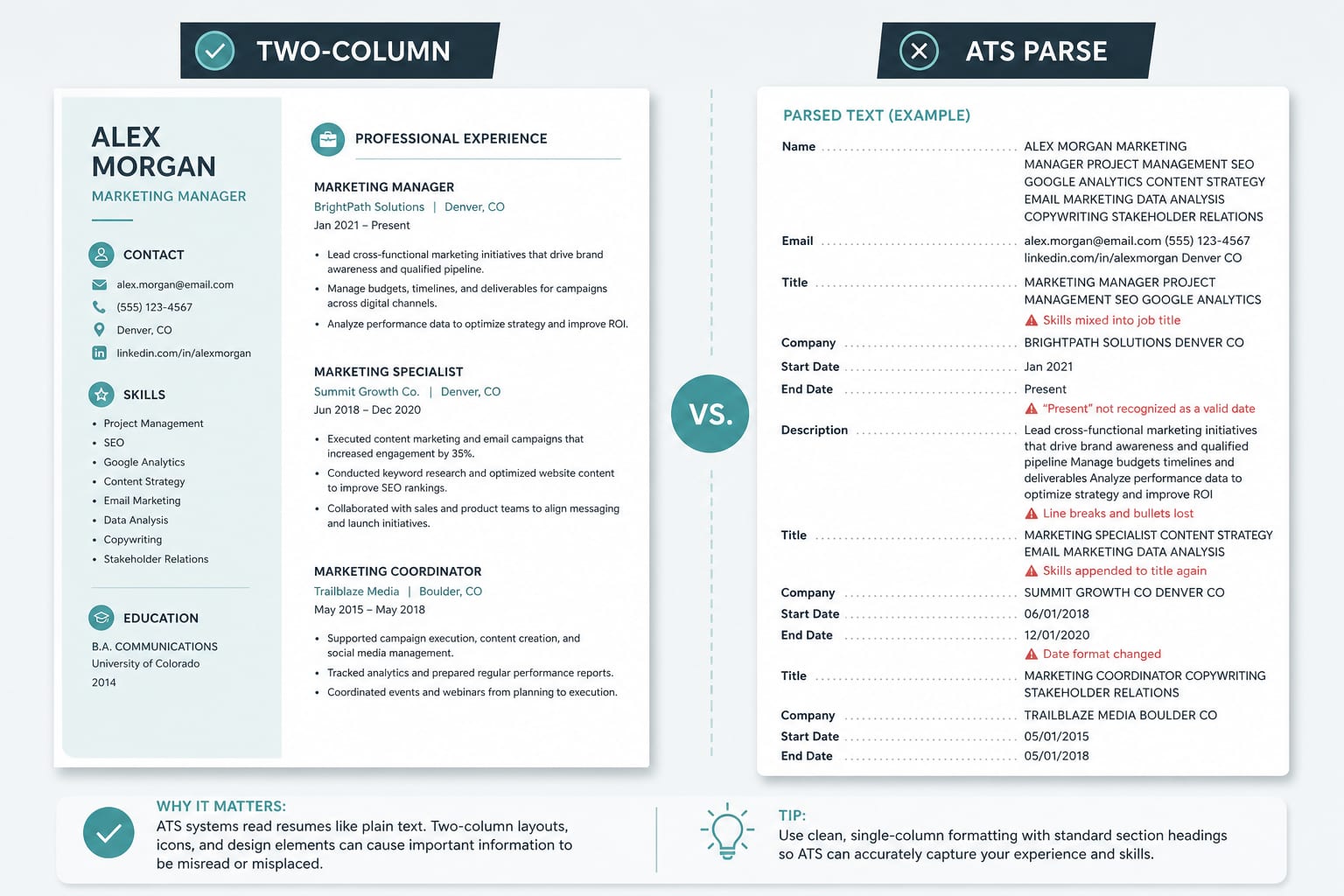
Two-column resumes look sharp to humans and often fail ATS parsers. Sidebars and skills rails get read left-to-right into job titles. Here is the copy-paste fix before you upload.
You built a two-column resume because it looks modern: skills in a colored sidebar, experience in a wide main column, maybe icons for email and phone. Recruiters on a screen often like it. Then you upload to Workday, Greenhouse, SmartRecruiters, or Easy Apply, and the parsed profile shows a skill sitting inside your job title, blank employers, or dates on the wrong role.
That is usually a reading-order problem, not a "you needed more keywords" problem.
This post is the layout-specific sibling of the ATS format checklist, the Canva resume ATS guide, and PDF vs DOCX. Same rule: fix parse first. Then tailor (how to tailor without lying).
The short answer
- Most ATS parsers read left to right, top to bottom. A skills rail next to Experience can splice "Python, SQL" into "Product Manager."
- Two columns are not banned forever. They fail when the export's text order does not match what a human sees.
- The copy-paste test decides. If Notepad is jumbled, Workday, Greenhouse, Lever, Ashby, SmartRecruiters, iCIMS, and Taleo will struggle too.
- For online applications, prefer one column. Keep the two-column PDF for networking, portfolios, or humans who open the attachment without relying on structured search.
Why two-column layouts break parsers
Applicant tracking systems map your file into employer, title, dates, education, contact. Recruiters search those fields, not only the attached PDF (ATS tools buyer's guide).
Two-column designs break that map when:
The sidebar is not "after" experience in the file. Visually it is on the left. In the PDF stream it may appear between job blocks or before your name. Paste into plain text and you see the truth.
Skills and contact live in a narrow rail. Email icons, skill clouds, and language bars become tokens that land mid-sentence in Experience.
Tables and text boxes create islands. Each cell or box can reorder on export. What looks like a clean grid on screen becomes interleaved lines in Notepad.
Date columns float separately. Some templates put dates in a left gutter and titles on the right. Parsers attach dates to the wrong employer.
A high Match Rate in a third-party scanner does not fix reading order (keyword stuffing vs real match). Pretty and parseable are different jobs.
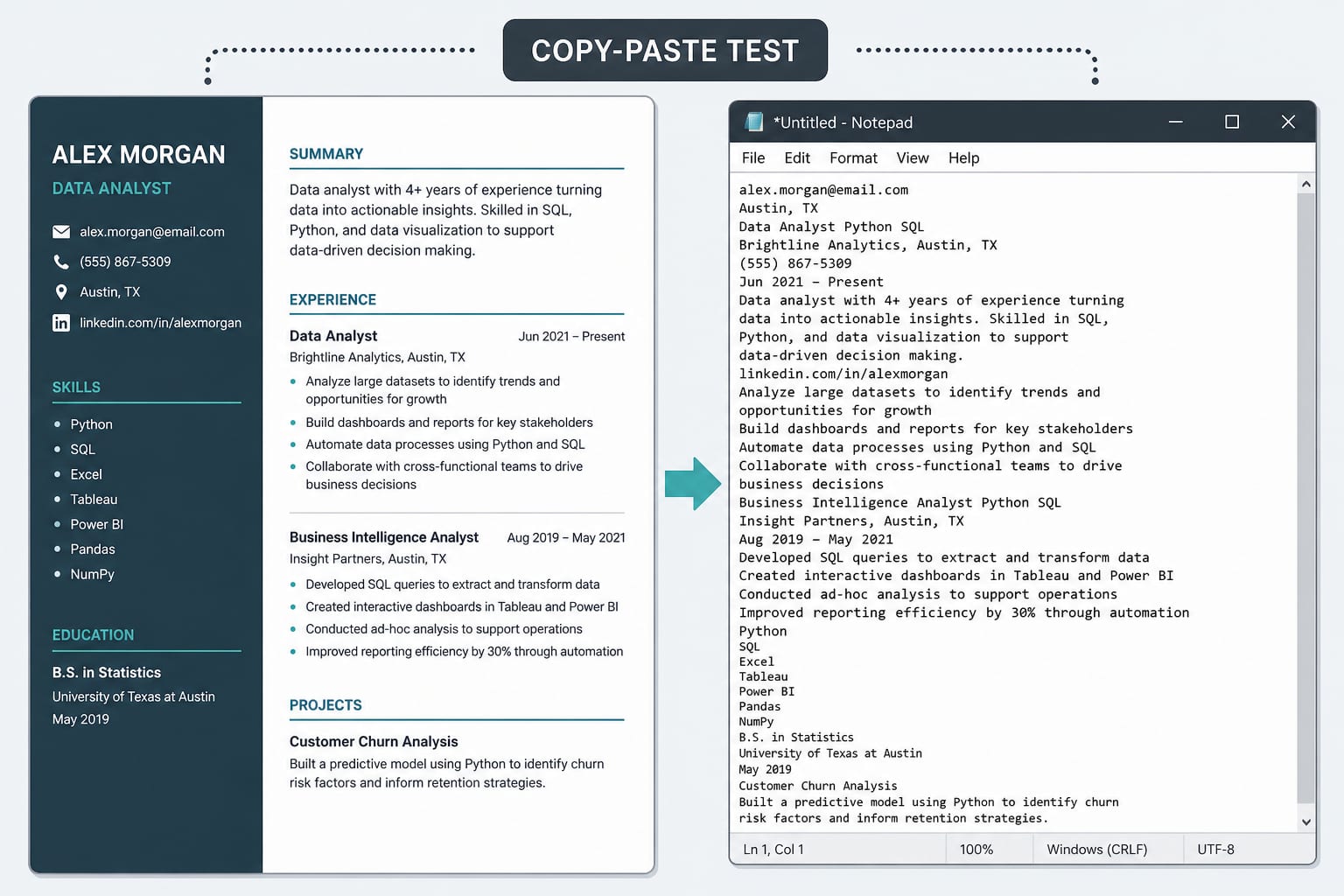
The copy-paste test (do this before every upload)
- Open your PDF or DOCX.
- Select all. Copy.
- Paste into Notepad (or any plain editor).
Pass: Name and contact first, then Summary, Experience with titles and dates in order, Education, Skills as a list. Readable. No random symbols.
Fail: Skills injected into titles, missing email, dates detached from employers, columns interleaved, or almost nothing selectable.
If it fails, do not upload that file to an ATS form. Collapse to one column or rebuild in a plain template. Full structure target: ATS resume format checklist.
Two-column-friendly rules (if you keep the design)
You do not need a secret "ATS two-column template." You need text that serializes in human reading order:
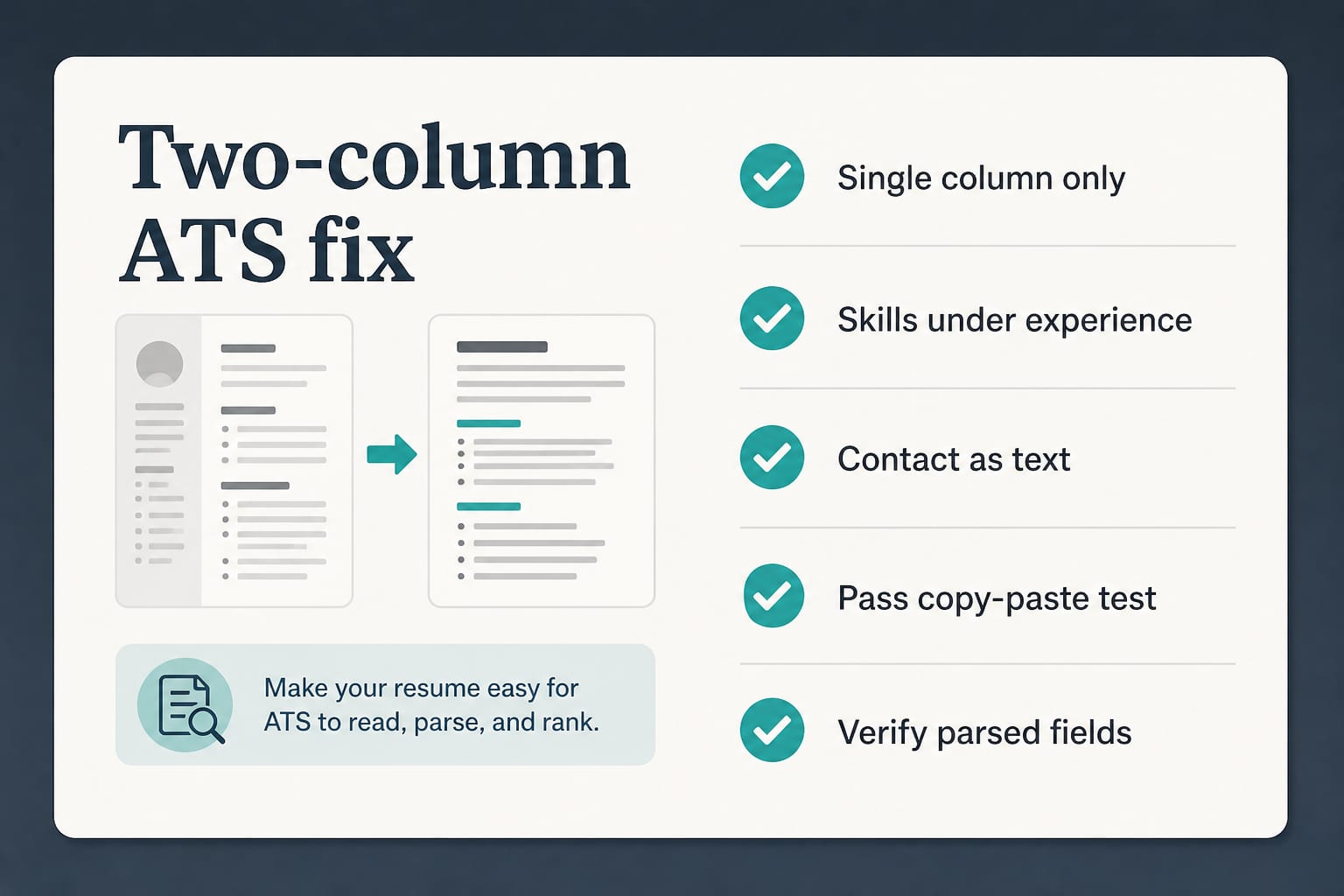
- Prefer single column for applications. Move skills under Experience or into a simple list at the end.
- If you keep two columns for a human PDF, rebuild a one-column version for career portals and Easy Apply.
- Contact as plain text in the body: email, phone, city. No icons-only rows.
- Standard headings: Summary, Experience, Education, Skills.
- Dates on the same line as title and employer (
Mon YYYY – Mon YYYYorYYYY – YYYY). - No tables for work history. No skill bars as substitutes for skill names.
- File type: follow the form. Selectable PDF or DOCX, never a scan. Guide: PDF vs DOCX for ATS.
- Filename:
FirstName-LastName-Role.pdf(or.docx).
After upload, read the parsed fields, not only the attached PDF. Correct anything the form got wrong. Easy Apply handoffs scramble pretty layouts often (LinkedIn Easy Apply ATS).
What to do instead
Use two columns for humans who open the file. Networking one-pager, conference leave-behind, portfolio companion. Fine when nobody needs structured search.
Use one column for applications. Google Docs, Word, LibreOffice, or CVWiser text-based PDF/DOCX. Professional and Minimalist layouts in CVWiser are built for parse-first reading order.
Tailor after parse is clean. Once Title, Company, and dates map, then adjust language you can defend (fact-check, Trust Diff). Scan eligibility lines before you spend a credit (remote job traps, eligibility check).
Frequently Asked Questions
Is a two-column resume ATS friendly?
Usually not for employer portals. Many parsers read left to right and mix the sidebar into Experience. Use one column for applications unless your file passes the copy-paste test and parsed fields look correct after upload.
Do ATS systems reject two-column resumes automatically?
Not as a secret "reject pretty layouts" rule. They fail when structured fields are blank or wrong. Recruiters searching by title or employer may never find you even if the PDF is attached.
Can I use a two-column resume on LinkedIn Easy Apply?
Risky. Easy Apply can hand your file to another ATS. A layout that looks fine as a LinkedIn upload can still scramble on Workday or Greenhouse. Prefer a clean one-column package when you can.
How do I convert a two-column resume to ATS-friendly?
Move sidebar content into the main flow: contact as text at the top, skills as a simple list after Experience, dates next to each job. Export, run the copy-paste test, then verify fields on the employer site.
Where CVWiser fits
CVWiser exports structured, text-based packages as PDF or DOCX, not graphic two-column puzzles meant for posters. Package generate cannot add employers, titles, dates, education, or new skill names. Match from the Chrome extension is directional for skills fit. It is not a claim that we certified your file against every employer parser.
If you love a sidebar design, keep it for humans. Rebuild the same honest content in a parse-safe export before you apply.
Free plan: 3 application packages a month, no card. Start a fresh package or install the extension. Broader thesis: what CVWiser is really fighting.
The short version
Two-column resumes fail ATS when reading order fails the copy-paste test: sidebars, skill rails, and date gutters look sharp and parse badly. Prefer one column for applications. Page count is a separate decision (one page vs two pages). Verify parsed fields after upload. Then tailor without stuffing.