CVWiser blog
Resume Skills Section That ATS and Humans Both Trust
Build a skills section with real tools you can defend. Order by job fit, mirror JD language only where true, and avoid keyword dumps that fail interviews.
Your skills section is easy to abuse. Paste the job description, hit a high scanner score, and feel done. Then a recruiter asks when you last used half the list and the interview stalls.
A good skills block does one job: it surfaces tools and domains you actually have, in language the posting uses, without pretending you are fluent in everything listed. Proof still lives in your bullets and summary. Skills are the index, not the essay.
This pairs with keyword stuffing vs real match and tailor without lying. Keep the layout parseable.
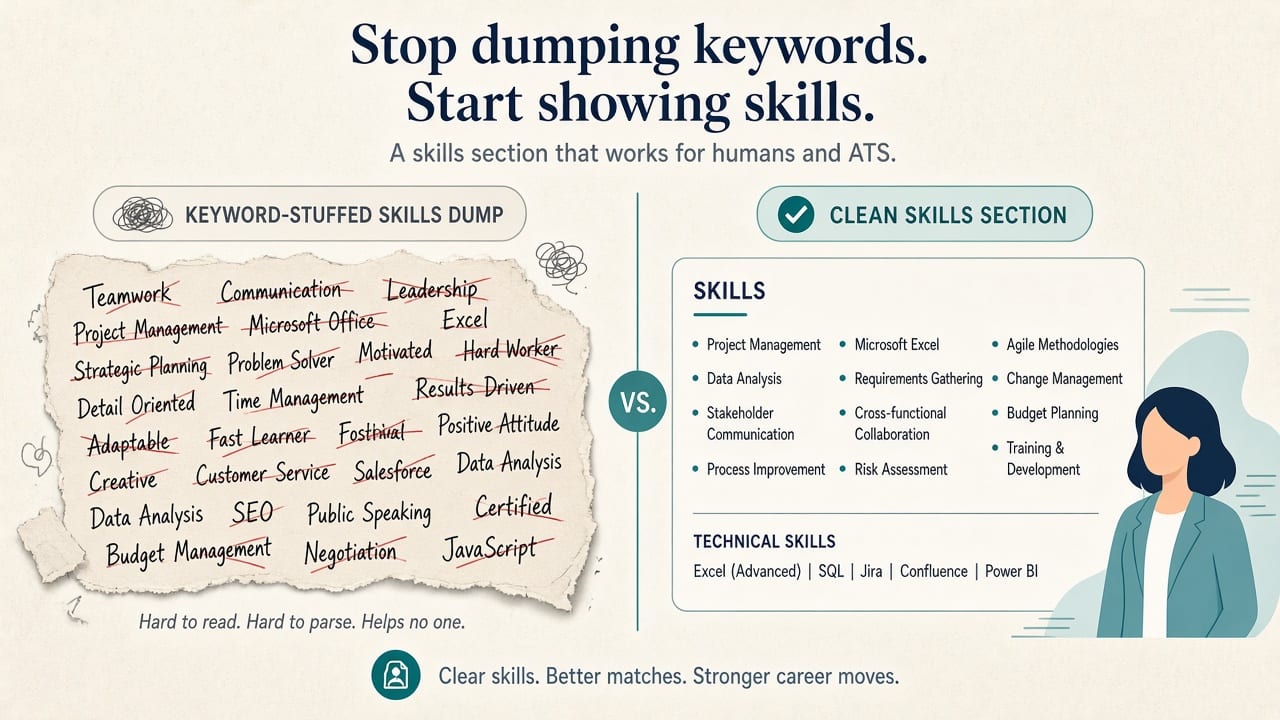
The short answer
- Only list skills you can discuss for about a minute (interview defense).
- Store the full list in your master profile; reorder per application.
- Put the posting's must-have tools first when they are already true.
- Mirror exact names (React vs "frontend frameworks") only where accurate (scan the JD).
- Never paste the whole JD into Skills to chase a match rate (keyword stuffing).
What belongs in Skills (and what does not)
Belong
- Tools and platforms you used on the job (languages, cloud, CRM, design, analytics)
- Methods you can explain (Agile ceremonies you ran, experiment design, financial modeling)
- Domain labels that match how employers search (B2B SaaS, HIPAA ops, payments)
Usually skip or keep thin
- Soft skills with no proof ("leadership", "communication") unless the role is soft-skill heavy and bullets back them up
- Tools you completed a 20-minute tutorial on
- Every synonym of the same skill in a 40-item cloud
- Obsolete stacks you cannot speak to anymore
Hard skills in Skills; soft skills in bullets with examples.
The three-part skills method
1. Real inventory
Pull from your master profile only. If it is not saved, it is not fair game for generate-time reorder, and inventing it for one apply is how interviews fail.
2. Order for this job
Must-haves from the posting that you own go first. Nice-to-haves next. Legacy skills last or cut for this package if space is tight (one page vs two).
3. Exact language where true
If they say "PostgreSQL" and you used Postgres, write PostgreSQL. If they say Kubernetes and you never ran it, leave it out. Adjacent experience belongs in a bullet or conversation, not as a fake skill chip.
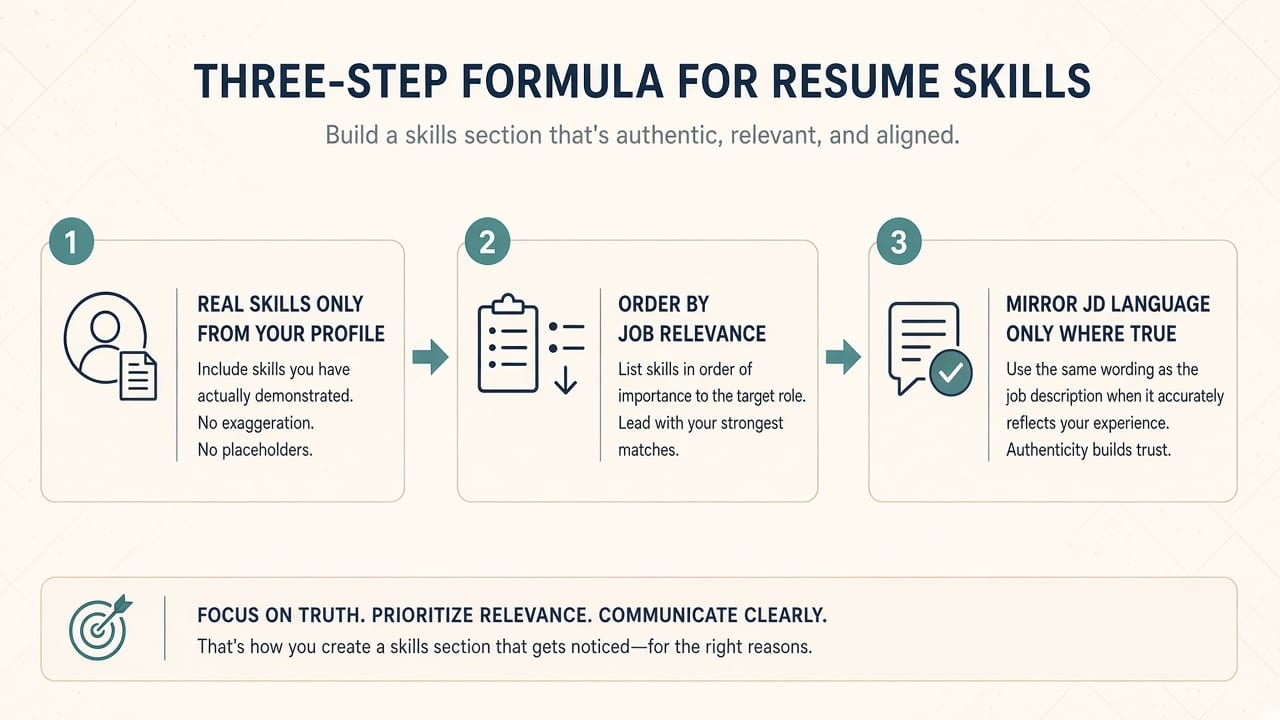
Before / after
Before (stuffed):
Skills: Python, Java, Kubernetes, AWS, leadership, Agile, Scrum, communication, Salesforce, AI, machine learning, Excel, teamwork, Docker, Terraform, passion for excellence...
After (honest, ordered for a Python backend role):
Skills: Python, FastAPI, PostgreSQL, AWS (EC2, S3), Docker, CI/CD, on-call / incident response, SQL
Before: a "Core competencies" paragraph of buzzwords with no tools.
After: a short comma-separated or grouped list (Languages | Cloud | Tools) that a human can scan in three seconds.
Group only if it stays readable in a single-column layout. Fancy skill bars and icon grids often fail copy-paste parse and two-column checks.
Where proof goes
Skills name the tool. Bullets show you used it.
- Skills: "Salesforce"
- Bullet: "Built a Salesforce pipeline view used weekly by 12 AEs; cut stage-update misses 30%."
If a skill only appears in the list and nowhere in experience, expect "When did you use that?" Delete it or add a true bullet from your profile.
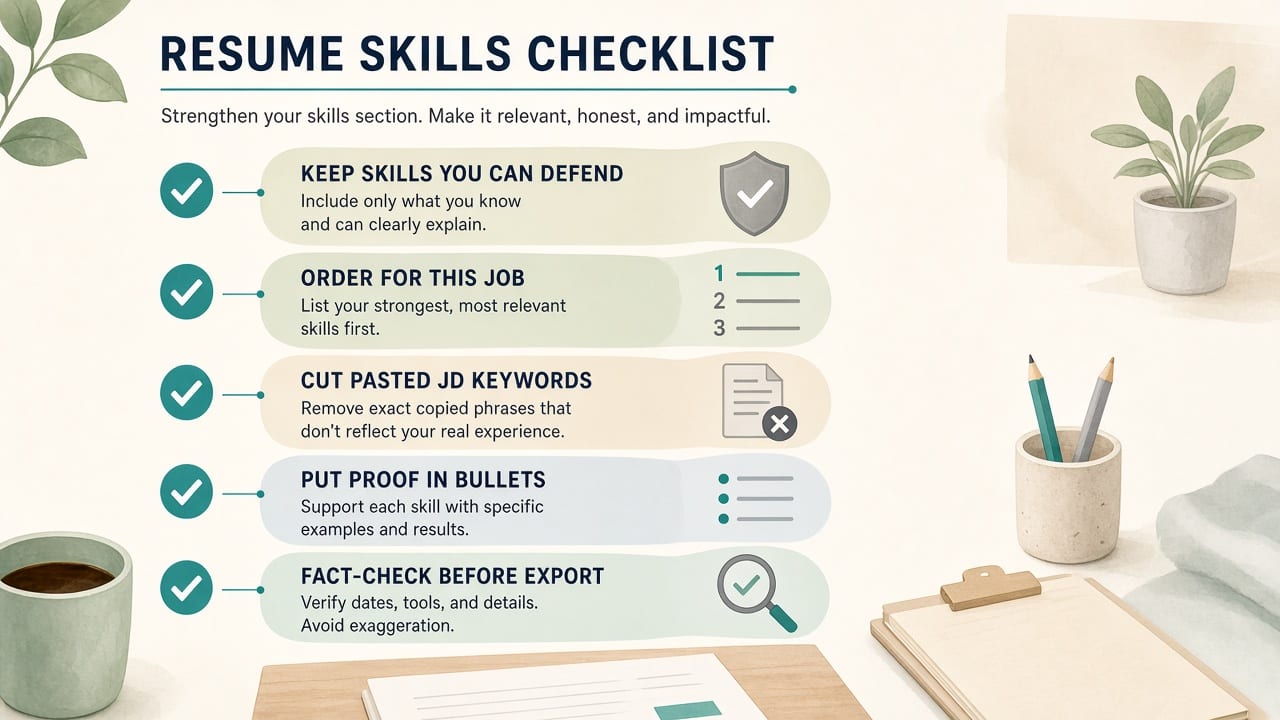
How to refresh Skills in five minutes
- Scan must-haves and repeated tools in the posting.
- Check each against your master profile.
- Reorder the skills block for this package.
- Drop anything you cannot defend.
- Confirm bullets still prove the top skills.
- Fact-check and open Trust Diff if AI reordered or rewrote anything.
Where CVWiser fits
CVWiser generates application packages from your master profile. At generate time it can rewrite your summary and refine bullets on existing roles, and reorder skills you already saved. It cannot add employers, titles, dates, education, or new skill names. Prompts tell the model not to invent exact numbers; still review Trust Diff and fact-check before export. Chat can add facts you explicitly provide when you ask, so treat chat as less locked than generate.
Capture a posting with the Chrome extension, see match before a generation credit, then export a parseable PDF/DOCX. Free plan: 3 application packages a month, no card. Start a fresh package or install the extension. Broader thesis: what CVWiser is really fighting.
Frequently Asked Questions
How should I list skills on a resume?
Use a short, readable list of tools and domains you can defend. Order them for the job you want. Put proof in experience bullets.
How many skills should I put on a resume?
Often 8-15 hard skills for one page is enough. More is fine if every item is real and scannable. A 40-item dump looks like stuffing.
Do ATS systems read the skills section?
Many parse the whole document into fields and full text. A clean list helps. Honesty and format matter more than stuffing keywords into Skills.
Should soft skills go in the skills section?
Prefer showing them in bullets. A long soft-skill list adds little and invites fluff.
Can AI add skills from the job description?
Not safely if you never used them. CVWiser generate cannot add new skill names; reject chat suggestions that invent tools (fact-check).
The short version
Skills are an honest index, not a keyword parking lot. List what you can defend, order for this posting, mirror language only where true, and prove the top items in bullets. Fact-check before you send.